
HP Smart Tank 5003
4.1Editor score
Cartridge-free ink tank
Up to 6,000 included pages
Wireless color printing
Our AI printers guide compares 10 leading options for documents, photos, labels, crafts, and 3D projects based on features and performance.
AI printers combine automated document formatting, image extraction, precision cutting, failure detection, or intelligent print preparation with traditional printing capabilities. A worthwhile model should improve convenience and output quality without making routine setup, ink handling, maintenance, or creative workflows more complicated than necessary.
We compared these ten products by examining their stated AI features, core functions, output capabilities, paper handling, connectivity, speed, included accessories, and intended users. The list covers office inkjets, refillable ink-tank printers, a multi-material 3D printer, and an all-in-one sticker printer and cutting machine.
Each review explains where the product is strongest, what limitations should be considered, and which type of buyer it suits best. The ordering balances the supplied product information and ratings, while availability, bundle contents, software behavior, and retailer terms may change over time.
4.1Editor score

4.2Editor score

4.7Editor score
The table below compares the ten featured printers by output type, core capabilities, paper or material handling, connectivity, and the most useful form of AI assistance for each product.




The HP OfficeJet Pro 8125 is a wireless color inkjet all-in-one designed for home offices that regularly produce reports, presentations, flyers, and other professional-looking documents. It carries a 3.9 rating and stands out for combining useful AI-assisted page formatting with familiar features such as scanning, copying, automatic duplex printing, and an automatic document feeder.
We may earn a commission when you buy through this link, at no additional cost to you.
Its most relevant AI feature focuses on a common source of frustration: printing web pages and email. HP AI is designed to remove unwanted content and produce cleaner pagination, reducing awkward layouts and wasted pages. That makes the printer more practical for users who regularly download articles, online receipts, forms, or planning materials rather than preparing every document before sending it to the printer.
The hardware specifications support a productive home-office workflow. Print speeds reach 20 pages per minute in black and 10 pages per minute in color, while the 225-sheet input tray offers more capacity than a compact home printer. Automatic duplexing, an automatic document feeder, a 2.7-inch color touchscreen, and HP app support cover the essentials without forcing users toward a dedicated office-only machine.
There are practical compromises. The 225-sheet tray may require more frequent refills than the dual-tray models in this guide, and the printer is designed to work only with cartridges containing original HP chips or circuitry. It also includes a three-month Instant Ink trial followed by a subscription unless canceled, which may appeal to some users but requires careful review. Overall, it is a balanced choice for a home office that values tidy digital-page output, wireless convenience, and document handling.
HP AI is the feature that sets this model apart from many conventional home-office inkjets. It is intended to eliminate irrelevant page elements and improve the arrangement of web and email content, saving users from repeatedly adjusting layouts before printing.
Automatic duplex printing and the automatic document feeder reduce repetitive steps for reports and multipage forms. The touchscreen also gives users a more direct interface than a small printer with only basic status controls.
We may earn a commission when you buy through this link, at no additional cost to you.
The HP Smart Tank 5003 is a refillable, cartridge-free ink-tank printer aimed at households that want dependable color and black printing with minimal ongoing maintenance. It holds a 4.1 rating and includes up to 6,000 color or black pages, making the supplied ink allowance a meaningful advantage for students, families, and regular home users.
We may earn a commission when you buy through this link, at no additional cost to you.
The central benefit is a different ink-handling model. Instead of replacing small cartridges, users plug HP ink bottles into the refillable tank and allow the ink to drain. The mess-free design avoids the squeezing and spilling often associated with conventional refill systems, which can make routine replenishment less intimidating and reduce waste from leftover cartridge ink.
It remains a focused home printer rather than a full office system. Printing, copying, scanning, borderless output, mobile printing, and wireless connectivity are supported, but no automatic document feeder or automatic duplexing is listed in the supplied information. That makes it more appropriate for users who print shorter jobs and handle pages individually than for offices processing lengthy reports.
Its AI-capable positioning is less visibly specific than the HP OfficeJet models because the supplied details emphasize the Smart Tank platform rather than individual AI tools. Even so, the 5003 offers an attractive balance for a buyer focused on running costs, ink convenience, and everyday output. It is a strong top pick for households that want cartridge-free operation and a generous initial ink allowance.
The bottle-based system makes ink replenishment more approachable than cartridge replacement. Users do not need to track tiny chips, squeeze ink into tanks, or risk staining their hands, making the design suitable for shared family spaces.
Borderless printing, wireless access, and mobile printing cover common photo, school, and household-document needs. The included page supply can also provide a useful cushion before the first refill is necessary.
We may earn a commission when you buy through this link, at no additional cost to you.
The HP Envy 6155 is a color-focused home printer for homework, personal documents, borderless photographs, and creative everyday output. Its 4.2 rating is among the stronger figures in this list, and the combination of a 2.4-inch color touchscreen, HP P3 technology, automatic duplexing, and AI-assisted formatting makes it particularly approachable for non-specialist users.
We may earn a commission when you buy through this link, at no additional cost to you.
True-to-screen color is one of its defining features. P3 technology is intended to reproduce vivid colors that closely match what users see on a display, an important consideration for image-heavy pages, school projects, and photos. HP AI improves the way web pages and emails are arranged by removing unwanted content, which helps prevent clipped text, awkward breaks, and unnecessary sheets.
The Envy 6155 also supports dual-band Wi-Fi, smartphone operation through the HP app, printing, scanning, copying, and faxing from a mobile device. Automatic two-sided printing adds a valuable workflow feature, while the compact 2.4-inch touchscreen makes settings easier to reach without navigating a computer for every adjustment.
Its main limitation is the 100-sheet input tray, which is smaller than the trays offered by several OfficeJet Pro and Smart Tank alternatives. The included three-month Instant Ink trial converts to a monthly service unless canceled, so buyers should understand the subscription terms before using the printer. Overall, this is an excellent choice for households prioritizing color quality, approachable controls, and convenient document handling.
HP P3 technology supports more vibrant, screen-oriented output. It is particularly relevant for borderless photos, illustrated assignments, and color documents where accurate appearance matters more than plain office text.
The 2.4-inch color screen makes common tasks easier to perform directly on the printer. Combined with automatic duplexing and app support, it reduces friction for users who do not want to manage every print through a computer.
We may earn a commission when you buy through this link, at no additional cost to you.
The Bambu Lab P2S Combo is an advanced fused-deposition-modeling 3D printing system rather than a conventional paper printer. It holds the highest rating in this guide at 4.7 and combines the P2S printer with AMS 2 Pro, combining rapid output, automatic setup features, intelligent failure detection, and multi-color or multi-material capabilities into a cohesive maker system.
We may earn a commission when you buy through this link, at no additional cost to you.
The P2S is claimed to print at speeds up to 600 millimeters per second while maintaining precision. Its PMSM servo extruder and active flowrate compensation are designed to preserve layer consistency, sharp edges, and smooth surfaces. For advanced makers, those details matter because faster speeds are only useful when the machine remains stable and produces repeatable results.
The AMS 2 Pro adds automatic filament handling, multi-color or multi-material printing, and built-in filament drying at temperatures up to 65 degrees Celsius. Adaptive airflow automatically manages cooling and heat retention, including maintaining a 50-degree-Celsius chamber for engineering-grade materials. A carbon filter helps keep the printing environment cleaner while a job is underway.
AI failure detection, quick-swap nozzles, and automatic calibration simplify setup, and the stated readiness target is approximately 15 minutes. The main caveat is category fit: this is not intended for printing conventional documents, but for creating physical objects. It is a premium pick for makers, educators, prototyping users, and anyone who wants advanced automated 3D production with integrated material management.
Automatic calibration, AI failure detection, and quick-swap nozzles reduce common sources of setup difficulty. These features make the system more approachable while preserving the controls experienced makers expect.
The included AMS 2 Pro simplifies color changes and keeps filament ready through integrated drying. The P2S itself does not perform multi-color printing, so buyers interested in that feature must choose the Combo version.
We may earn a commission when you buy through this link, at no additional cost to you.
The HP OfficeJet Pro 9135 is built for offices that print professional color documents such as presentations, brochures, and flyers. It earns a 4.0 rating and stands out with a stated speed of 25 pages per minute in black and 20 pages per minute in color, making it the fastest conventional inkjet listed here.
We may earn a commission when you buy through this link, at no additional cost to you.
Its two 250-sheet input trays provide a combined 500 sheets of paper capacity before refills are needed. That is a meaningful advantage for teams with substantial daily output because it reduces interruptions to load different media or replenish a single tray. The automatic document feeder supports single-pass two-sided scanning, improving efficiency when archiving or copying multipage documents.
Office functions extend to printing, copying, scanning, and faxing, all managed through a relatively large 4.3-inch color touchscreen. HP AI cleans up web and email output before printing, dual-band Wi-Fi supports flexible placement, and the HP app adds mobile control. Wolf Pro Security is included to help protect the printer and network from cyber threats.
Its physical size and feature set are less appropriate for a small or minimalist workspace. The included three-month Instant Ink trial also becomes a monthly service unless canceled. Even so, the 9135 is the strongest conventional choice for a busy office that needs speed, generous paper capacity, duplex scanning, and a wide range of all-in-one functions.
Two 250-sheet trays allow offices to stock more paper and reduce reload frequency. The larger touchscreen also makes it easier to manage advanced settings without repeatedly opening a computer-based utility.
The automatic document feeder and single-pass two-sided scanning streamline copying, scanning, and faxing. These are practical advantages for recurring administrative work that would otherwise require manual page turning.
We may earn a commission when you buy through this link, at no additional cost to you.
The HP Smart Tank 7603 combines refillable ink-tank economics with a broader set of office functions. It carries a 3.9 rating and supports printing, copying, scanning, and faxing, along with an automatic document feeder, borderless output, mobile printing, wireless connectivity, and a magic touch control panel.
We may earn a commission when you buy through this link, at no additional cost to you.
The supplied ink allowance is substantial, with up to 8,000 color pages or 6,000 black pages included. That makes the model a practical option for home offices that print more often than occasional users but may not want to manage traditional cartridges. The bottle-based refill system lets users plug ink bottles into the tank and let them drain, avoiding squeezing and reducing the chance of messy spills.
Compared with the Smart Tank 5003, this version adds a document feeder and fax capability. Those additions are valuable for administrators, remote workers, and households that routinely handle forms, records, or delivery documents. Wireless and mobile printing also make it easier to locate the printer away from a desk or network cable.
The control interface is described as a magic touch panel rather than a conventional display, and automatic duplex printing is not listed in the supplied specifications. The 7603 is therefore most attractive to buyers who value refill convenience, included ink, and multipage document functions more than extensive touchscreen controls or automated two-sided output.
The large initial page allowance and cartridge-free system are well suited to frequent printing. Users can replenish ink without replacing compact cartridges, while the spill-resistant bottle process keeps routine maintenance more manageable.
Faxing and the automatic document feeder distinguish this model from simpler Smart Tank printers. These features help mixed-use home offices handle forms, records, and short multipage jobs without a separate dedicated machine.
We may earn a commission when you buy through this link, at no additional cost to you.
The HP OfficeJet Pro 8139 is a home-office all-in-one that combines a more generous Instant Ink trial than most models in the guide with a complete set of office functions. Its 4.0 rating reflects a balanced package aimed at people who print business documents, reports, presentations, and flyers from home.
We may earn a commission when you buy through this link, at no additional cost to you.
The printer supports color printing, scanning, copying, and faxing, with automatic duplex printing and an automatic document feeder handling repetitive pages. Its 225-sheet input tray offers useful capacity without taking on the larger footprint of a dual-tray office system. A 2.7-inch color touchscreen provides direct access to settings in a familiar phone-like interface.
HP AI improves digital-page preparation by removing unwanted content and refining the layout of web pages and emails. Dual-band Wi-Fi is designed to maintain reliable connectivity and automatically resolve connection issues, while the HP app supports printing, scanning, copying, and faxing from a smartphone. Wolf Essential Security adds network protection for a home-office environment.
The headline distinction is the one-year Instant Ink trial. It gives users a substantially longer period to evaluate the subscription service, but a monthly fee applies afterward unless canceled. Buyers who do not intend to use the service should understand the terms before beginning the trial. The 8139 is otherwise a capable, well-rounded home-office printer.
The one-year Instant Ink trial provides more time to compare usage patterns and service needs than a short introductory period. It is most useful for owners who expect regular printing and understand that the plan continues unless canceled.
Faxing, duplex printing, the document feeder, and app-based control cover most daily administrative tasks. HP AI also removes some of the preparation normally required when printing content downloaded from the web.
We may earn a commission when you buy through this link, at no additional cost to you.
This HP Smart Tank 7603 listing offers a refillable, wireless all-in-one for homes and offices that want high page volume without traditional cartridge replacements. It has a 4.0 rating and supports printing, copying, scanning, faxing, borderless output, mobile use, and wireless connectivity, with up to 8,000 color pages or 6,000 black pages of ink included.
We may earn a commission when you buy through this link, at no additional cost to you.
Its refill system is straightforward: users connect compatible ink bottles to the cartridge-free tank and allow the ink to drain. This approach reduces squeezing, spills, and the need to track small replaceable cartridges. For a home office that prints school materials, forms, photos, reports, and ordinary correspondence, the included allowance offers a generous starting point.
The automatic document feeder expands the machine beyond basic print-copy-scan use, while faxing broadens its suitability for administrative workflows. A magic touch control panel keeps on-device operation simple, and wireless connectivity permits flexible placement away from the main desk. The model therefore works well for shared family spaces and remote offices that need several functions from one device.
This listing is closely related to another featured 7603, and the supplied feature information is substantially the same. Buyers should compare the final listing details, bundle contents, and model identifier before choosing between them. Automatic duplex printing is not specified in the provided data. The broader advantage of this version is its combination of refillable ink, generous included supply, and office-capable document handling.
Printing, scanning, copying, and faxing give the device more flexibility than a single-function printer. The document feeder is particularly helpful for administrative jobs and regular multipage paperwork.
Because two closely related 7603 listings appear in this guide, purchasers should verify the model number, included components, and seller information on the final listing. This avoids assuming that every bundle offers identical accessories.
We may earn a commission when you buy through this link, at no additional cost to you.
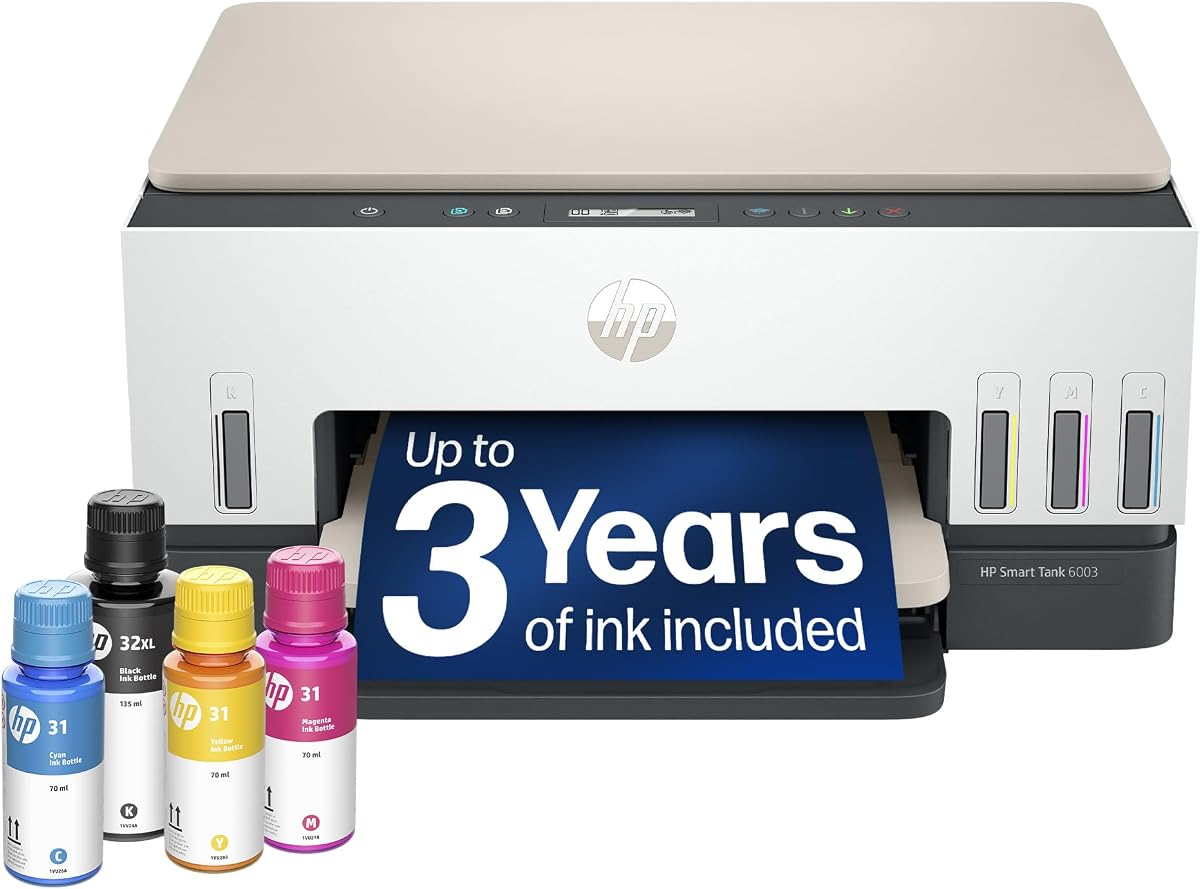
The HP Smart Tank 6003 is a straightforward wireless ink-tank printer for homes that print frequently but need only basic scanning and copying. It carries a 3.8 rating and focuses on refillable ink, a generous initial page supply, borderless color output, and mobile connectivity without adding a document feeder or fax function.
We may earn a commission when you buy through this link, at no additional cost to you.
The included ink allowance reaches up to 8,000 color pages or 6,000 black pages. This makes the printer potentially attractive to students, families, and home-based workers who produce recurring color documents or photographs. Its cartridge-free design also simplifies replenishment: compatible bottles plug into the tank and drain without the squeezing required by some refill systems.
Printing, copying, scanning, wireless printing, mobile printing, and borderless output cover the essential home functions. A 4.0 rating is not listed, but its lower rating should not automatically rule it out for buyers who prioritize simple operation and refill convenience over advanced document handling or touchscreen controls.
The product is best for users who print shorter documents and do not need automatic duplexing, an automatic document feeder, or faxing. Its specification set is less versatile than the OfficeJet Pro models and less comprehensive than the Smart Tank 7603 listings. Even so, it provides a clear ink-management proposition for high-volume home use.
The refillable tank and large included page supply are the main attractions. They suit households that want to reduce cartridge replacement while retaining access to color, black, and borderless printing.
The absence of listed feeder and fax functions keeps the design centered on core household needs. Buyers should confirm that automatic duplexing is not required before making a final selection.
We may earn a commission when you buy through this link, at no additional cost to you.
The Liene PixCut S1 is an all-in-one color sticker printer and cutting machine designed for crafts, custom labels, gifts, journaling, and other creative projects. It holds a 4.2 rating and uses AI in two linked ways: extracting a subject from a photo and guiding the precision cutting system along the resulting outline.
We may earn a commission when you buy through this link, at no additional cost to you.
Its thermal dye-sublimation process produces 300-dpi color output with 16.7 million colors. The four-layer process automatically laminates the photopaper during printing, creating stickers that are described as durable, waterproof, and scratch-resistant. This combination of printing and finishing gives it an advantage over workflows that require separate printing, laminating, and cutting tools.
The Liene Photo App connects by Bluetooth and lets users edit, print, and cut from a smartphone. Its AI image extraction removes the need to manually isolate a subject, while AI Lab features can transform selfies into anime, fantasy, or holiday illustrations. The app also provides a large collection of images, fonts, elements, and templates for phone skins, labels, name tags, ID cards, and journaling.
This is not a general-purpose office printer, so buyers should assess the category before selecting it. Its strengths appear when creating custom stickers, personalized gifts, labels, and social-media content. The combination of high-resolution output, automatic laminating, AI extraction, and precise cutting makes the PixCut S1 a compelling creative-production tool for beginners and experienced crafters alike.
AI image extraction identifies the main subject and prepares it for cutting. Users can then print and cut in a streamlined app workflow without manually creating a separate cut path for every image.
The 300-dpi thermal dye-sublimation process supports detailed, vivid designs, while automatic lamination improves the sticker surface. This makes the system useful for gifts, labels, and crafts that must withstand regular handling.
We may earn a commission when you buy through this link, at no additional cost to you.
The term AI printer covers several distinct product categories, so the most important first step is deciding whether you need a conventional document printer, a 3D fabrication system, or a creative sticker-making device. From there, compare output type, workflow features, running convenience, and the degree of automation that will genuinely improve your tasks.
Choose the printer that directly matches your most common project, not the one with the longest feature list.
Prioritize automation that addresses a recurring frustration, not a generic AI label.
Match speed to your highest-volume job, then allow extra time for scanning and color-heavy pages.
Count tray capacity, duplexing, and feeder functions together rather than evaluating each feature alone.
Choose cartridges for convenience or refillable tanks for sustained volume, and review subscription conditions carefully.
Make sure the printer can be placed conveniently and controlled by the devices your household already uses.
Verify required cartridges, filaments, media, accessories, and software before completing your purchase.
Account for the printer, consumables, ventilation, and working clearance—not just the device footprint.
Begin by unpacking the printer, removing any packing restraints, installing the supplied ink or filament, and placing it on a level surface with the required operating clearance. For ink-tank models, connect and fill each compatible bottle before starting the setup process. For the Bambu Lab Combo, install the AMS 2 Pro, prepare the filament path, and allow the automatic calibration system to establish the correct configuration. For the PixCut S1, pair the device with the Liene Photo App before importing or creating a design.
For the first document print, use a simple test page and confirm paper size, orientation, print quality, and wireless connectivity. HP AI-assisted formatting should be tested with the kinds of pages you normally download, while the Envy and OfficeJet models can also be controlled through their touchscreens or the HP app. In the Liene app, run AI extraction before printing, inspect the proposed cut outline, and make any necessary adjustments. In Bambu Studio, choose the correct material profile and review the sliced layer layout before starting a multi-color job.
Maintain the machine according to its consumables and moving parts. Keep ink bottles and refill ports clean, avoid leaving cartridges or printheads in a dry state for long periods, and use the recommended paper and filament. For the PixCut S1, keep the cutting area clear and follow the app's media-loading guidance. For 3D printing, use the adaptive airflow system, monitor chamber temperature for sensitive materials, and clear or maintain filters as directed. Periodically update printer firmware and apps because software changes can improve formatting, failure detection, and device compatibility.
AI in a printer generally means software automates a task that would otherwise require manual intervention. In the featured HP inkjets, HP AI cleans up web and email layouts before printing. The Bambu Lab P2S uses AI failure detection and automatic calibration, while the Liene PixCut S1 uses AI to extract subjects from images and guide cutting. The value depends on whether you regularly perform the task being automated.
Yes, if you select a conventional office inkjet rather than a specialized 3D or sticker device. The OfficeJet Pro 8125, 9135, and 8139 handle color documents, reports, presentations, flyers, copying, and scanning. The 8139 and 9135 also add faxing, while all three provide automatic duplex printing and an automatic document feeder.
A Smart Tank is generally more suitable when cartridge replacement is a recurring concern and printing volume is high. The refillable bottles reduce the need to replace compact cartridges and can provide a generous initial page allowance. A cartridge-based OfficeJet may still be preferable for its larger paper trays, faster office output, and more advanced control interface.
No. The Bambu Lab P2S Combo is an FDM 3D printer that creates physical objects from filament rather than printing paper documents. The included AMS 2 Pro enables multi-color and multi-material printing, while the P2S printer itself does not support multi-color output. The Combo version is required for that multi-color workflow.
Yes. The PixCut S1 is specifically designed for color stickers, custom labels, crafts, gifts, and related creative projects. It prints at 300 dpi, laminates the photopaper during printing, and uses AI-assisted extraction and cutting to create a finished sticker in a single integrated workflow.
The supplied information states that a monthly fee applies after the trial unless the service is canceled. The OfficeJet Pro 8139 includes a one-year trial, while the 8125, 9135, and Envy 6155 include three-month trials. Review the current terms before starting and set a reminder if you may continue using the printer afterward.
An automatic document feeder is useful when you regularly copy, scan, or fax multipage documents because it reduces manual page handling. It is less important for users who primarily print short jobs or feed a single sheet at a time. The 8125, 8139, 9135, and Smart Tank 7603 models include a feeder, while the Envy 6155, Smart Tank 5003, and Smart Tank 6003 do not list one.
For the featured HP cartridge printers, the supplied information says the devices are intended to work only with cartridges containing original HP chips or circuitry and may block other cartridges. For the Bambu Lab system, check the current material and accessory requirements for the chosen filament. The Liene PixCut S1 likewise requires compatible media and the use of its supported app workflow.
The three leading choices serve different needs. The HP Smart Tank 5003 is the practical pick for households prioritizing cartridge-free operation and a substantial initial ink allowance. The HP Envy 6155 stands out for approachable controls, strong color features, and automatic duplexing. For advanced making, the Bambu Lab P2S Combo is the clear premium selection because it combines rapid 3D printing, AI failure detection, automatic calibration, and integrated multi-material handling.
Before choosing among the remaining models, identify your most frequent job. The OfficeJet Pro 9135 is suited to busy offices, the 8125 and 8139 to home offices, the Smart Tank 7603 listings to refillable printing with feeder and fax functions, the Smart Tank 6003 to simpler high-volume home output, and the Liene PixCut S1 to custom sticker and label creation. Prioritize the functions you will actually use rather than assuming that more features automatically mean a better result.
Finally, verify the exact model identifier, included accessories, consumable requirements, software support, and current retailer terms before ordering. Product configurations can differ, connected features can change, and subscription trials require particular attention. Checking those details against your printing habits will lead to a more durable purchase and a better day-to-day experience.