
VENTION 6-in-2 USB C Hub
4.3Editor score
Explicit MacBook Neo compatibility
80Gbps Thunderbolt bandwidth
Up to 140W pass-through charging
Detachable magnetic connector
Our guide compares the best docking station for MacBook Neo options, comparing display support, charging, ports, data speed, and compatibility for different
A docking station for MacBook Neo should expand a minimalist setup with the displays, charging, networking, storage, and USB connections that daily work requires. The right choice depends less on port count alone and more on how the dock connects, what your Mac supports, and which peripherals need dedicated bandwidth.
We compared all ten options by examining their documented display modes, charging capabilities, port selection, data-transfer speeds, network support, and stated MacBook compatibility. The list includes direct MacBook Neo models, general USB-C docks, premium Thunderbolt options, and desktop stands, with important restrictions called out.
Each review identifies the strongest use case for that model and explains where it may not be the right fit. From a compact magnetic adapter to a full desktop workstation, these picks illustrate several ways to build a useful setup. Product availability and pricing can change, so verify current details before buying.
4.3Editor score

4.3Editor score

4.5Editor score
This side-by-side comparison highlights the ten docks by MacBook Neo compatibility, display capability, charging approach, port mix, and connection speed. Three models explicitly identify MacBook Neo support, while the remaining options vary in their usefulness for general MacBook or USB-C workstations.




The Anker 8-in-1 Dock offers a conventional, balanced way to expand a MacBook or MacBook Neo setup with one USB-C connection. Its 4.5 rating reflects a well-regarded package that combines two HDMI ports, USB-A data connections, Ethernet, memory-card access, and power delivery. It is most attractive to users who want one dependable hub without an excessively large desktop unit.
We may earn a commission when you buy through this link, at no additional cost to you.
Its strongest feature is display flexibility. The dock can stream or mirror to one display at up to 4K and 60Hz, while two connected displays can run at up to 4K and 30Hz. A dedicated Ethernet port creates a more stable wired option than relying exclusively on Wi-Fi, and the card reader is convenient for moving images from cameras or memory cards. Charging pass-through reaches 85W, which suits many productivity-oriented configurations.
There are important Mac-specific caveats. Anker states that on macOS, the images on both external monitors will be identical, so this is better viewed as a dual-output dock for compatible systems than a guaranteed extended-desktop solution on a Mac. Compatibility with MacBook Neo is also not explicitly confirmed in the supplied information. It supports USB-C, USB4, and Thunderbolt connections, but the host device must provide DisplayPort Alt Mode and Power Delivery.
This remains a solid general-purpose choice for someone who wants Ethernet, card readers, USB-A devices, charging, and multiple display connections in one box. However, buyers whose main goal is a confirmed MacBook Neo fit should choose one of the models that explicitly names Neo compatibility. For everyone else, it remains an easy-to-understand workstation dock with a balanced port selection.
Two HDMI outputs and up to 85W pass-through charging make this useful for a conventional office desk. Check whether your MacBook Neo configuration requires extended displays, because the documented macOS behavior mirrors both external monitors.
Two USB-A ports, Gigabit Ethernet, and SD and microSD readers cover several common needs at once. The Ethernet connection is particularly valuable for stable office networking, while card readers reduce the need for separate adapters.
We may earn a commission when you buy through this link, at no additional cost to you.
The iVANKY FusionDock 1 is the most straightforward full-featured recommendation for a confirmed MacBook Neo workstation. Its 4.3 rating combines an explicit Neo compatibility statement with a generous 12-in-2 design, a 150W power adapter, USB data ports, memory-card access, and Gigabit Ethernet. It is a more complete alternative to a simple travel adapter.
We may earn a commission when you buy through this link, at no additional cost to you.
The display limitation is the most important detail. The manufacturer specifically states that MacBook Neo supports only a single display with this dock because of the limitations associated with the listed M1, M2, and M3 base chips. Other MacBook configurations may support dual displays at up to 4K and 120Hz, depending on the processor generation and tier. A Neo buyer should therefore treat this as a one-monitor dock with extensive peripheral support, not a dual-screen extender.
Power delivery is robust. The included 150W adapter can charge the laptop at up to 96W and deliver up to 18W to a PD USB-C device. Four USB 3.0 ports support data transfers at up to 5Gbps, the SD and TF slot is documented at up to 104Mb/s, and the RJ45 Gigabit Ethernet port supports speeds up to 1000Mb/s. That combination suits a fixed desk where the MacBook is the only computer and multiple accessories need permanent connections.
This is the best overall option for a MacBook Neo owner who values a complete desktop hub more than multiple external monitors. It reduces cable clutter, handles charging, data, networking, and card transfer, and comes with a 24-month warranty. If the goal is a minimalist portable setup, a smaller hub would be more appropriate; if the goal is a permanent workstation with one external display, this dock is a strong fit.
This model expressly identifies MacBook Neo in its compatibility information and explains its single-display restriction. That clarity makes it safer to shortlist than a general dock whose Mac support is documented only in broad terms.
Four 5Gbps USB ports, Gigabit Ethernet, card readers, and laptop charging make it easy to leave peripherals connected permanently. The included 150W adapter supports a convenient one-cable desktop arrangement.
We may earn a commission when you buy through this link, at no additional cost to you.
The Anker Nano 13-in-1 stands apart with a detachable six-in-one hub that can separate from the larger desktop dock. Its 4.2 rating reflects a versatile design for people who alternate between a permanent workstation and a portable setup. One product provides a broad array of connections without requiring the user to carry every peripheral adapter all the time.
We may earn a commission when you buy through this link, at no additional cost to you.
The desktop dock supports up to three monitors through two HDMI ports and one DisplayPort output. Depending on the number of displays and host capabilities, it can deliver 4K and 60Hz on one screen, dual 2K and 60Hz on two screens, or triple 1080p and 60Hz on three. MacBook Neo compatibility is not specifically stated, however, and Anker notes that macOS supports mirrored mode only on multiple external displays. These limitations make the exact Mac configuration essential to verify.
Data and charging specifications are strong for a general workstation. One USB-C data port reaches 10Gbps, while another USB-C data connection is rated at 5Gbps. The dock delivers up to 100W of Power Delivery and includes a 140W adapter for stability under full load. It also includes Gigabit Ethernet, a 3.5mm audio jack, three USB-A ports, and SD and TF card slots.
The detachable hub makes this most compelling for hybrid workers, although the supplied compatibility information focuses on Windows laptops such as Dell XPS, Lenovo ThinkPad, and HP Spectre models. A MacBook Neo buyer should confirm the device's port and display behavior before purchasing. If confirmed, the combination of a full dock and removable travel hub offers unusual convenience for moving between desks, studios, and meeting spaces.
The removable six-in-one hub lets users travel with selected ports without carrying the complete desktop unit. At a fixed desk, the 13-in-one base supports displays and a broader collection of peripherals.
A 10Gbps USB-C connection and 100W host charging support demanding file transfers and a powered laptop at the same time. The included high-capacity adapter helps maintain stable performance when many ports are active.
We may earn a commission when you buy through this link, at no additional cost to you.
The Anker 7-in-2 Hub is a compact MacBook expansion accessory with an emphasis on high-speed data and convenient charging. It carries a 4.5 rating and provides a multi-function USB-C port, a separate USB-C data port, two USB-A ports, HDMI, and both SD and microSD readers. Its compact shape is attractive for users who want more connectivity without carrying a large dock.
We may earn a commission when you buy through this link, at no additional cost to you.
The multi-function USB-C port supports charging up to 100W, data transfer up to 40Gbps, and media output at resolutions up to 5K. HDMI supports 4K at 60Hz, while the multi-function port can support 5K at 60Hz. The two outputs can be connected together for streaming or mirroring, subject to the host Mac's capabilities. The physical design also avoids blocking the MagSafe charging area on compatible MacBook models.
This product is explicitly not compatible with MacBook Neo. That clear exclusion removes it from serious consideration for this guide's target device, even though its specifications are otherwise attractive. It also lacks Ethernet and offers fewer display outputs than a conventional desktop workstation, so buyers who ultimately choose it should have a simple desk in mind.
For a recent MacBook Air or MacBook Pro that supports dual external displays, the hub can provide a tidy, capable setup. It is particularly useful for users who regularly move fast files, carry memory cards, and want one compact accessory to handle high-resolution output and charging. For a MacBook Neo owner, however, this model should be skipped because of the manufacturer’s direct incompatibility statement.
The 40Gbps multi-function connection provides considerable bandwidth for compatible accessories. It makes the hub attractive for fast storage and other high-throughput workflows in a compact footprint.
Anker expressly says this hub is not compatible with MacBook Neo. Its feature set cannot override that limitation, so MacBook Neo buyers should examine the explicitly compatible alternatives.
We may earn a commission when you buy through this link, at no additional cost to you.
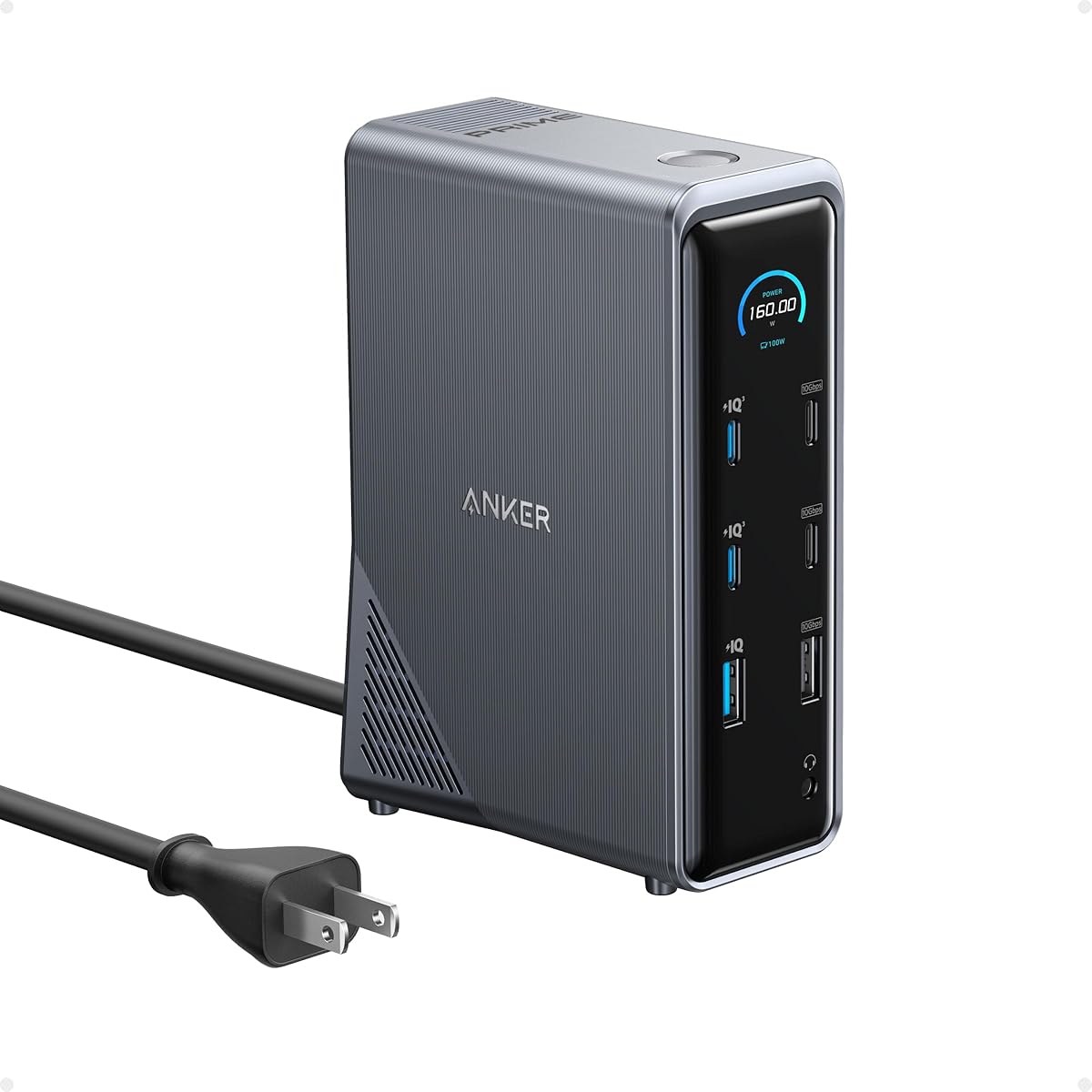
The Anker Prime 14-in-1 is built for users who want a serious desk hub that can manage displays, data, and several powered devices at once. Its 4.3 rating is supported by a large selection of ports and an unusual charging proposition: 160W of total output, with three USB-C ports capable of delivering up to 100W each and one USB-A port capable of 12W.
We may earn a commission when you buy through this link, at no additional cost to you.
For display users, the two HDMI ports support up to 2K at 60Hz when the host supports DisplayPort 1.4, or 1080p at 60Hz with a DisplayPort 1.2 host. The product does not support a 5120-by-1440 monitor in the documented configuration. As with several general-purpose docks, macOS displays on both external monitors are identical, limiting its value for users who need separate extended desktops.
The remaining feature set is substantial, with versatile ports reaching 10Gbps and audio options for a complete workstation. It supports USB-C, USB4, and Thunderbolt connections, making it relevant to modern laptops, but Linux is not supported. The package includes a 3.3-foot, 100W, 10Gbps upstream USB-C cable, which is important for obtaining the advertised power and data performance.
This dock makes most sense for an established office with several USB-C peripherals that need charging and data connections. A MacBook Neo buyer can appreciate the expansive hub, but the documentation does not explicitly confirm Neo compatibility. Moreover, the lower display ceiling makes it less compelling for a visual workstation than a dock built around high-resolution outputs. It is best for power users whose device-charging needs outweigh demanding display requirements.
The 160W total output can serve several USB-C and USB-A devices at once. That makes the dock useful for offices where phones, tablets, accessories, and the host laptop all need dependable power.
Dual 2K output is useful for general productivity but falls short of many premium 4K dock specifications. Mac users also receive mirrored images on both external displays according to the supplied compatibility notes.
We may earn a commission when you buy through this link, at no additional cost to you.
The VENTION 6-in-2 stands out as the best budget-oriented choice for MacBook Neo because it explicitly names the device in its product title and offers a practical mix of charging, data, display, and USB connectivity. Its 4.3 rating reflects a versatile magnetic adapter that can also work with MacBook Air, iPad, and other compatible USB-C hosts.
We may earn a commission when you buy through this link, at no additional cost to you.
Its headline capability is up to 80Gbps of Thunderbolt-class transmission, with support for high-resolution video output. The supplied information describes HDMI at 4K and 60Hz, while compatible single or dual USB-C outputs can support 8K at 60Hz and higher refresh modes. Eight-knot output requires a Thunderbolt-enabled host, so buyers should not assume that every MacBook configuration can reach the highest listed mode.
Charging reaches up to 140W pass-through through the standard PD path, with the magnetic connector and fixed USB-C connection providing flexibility. The hub also includes two USB-A 3.0 ports and one USB-C 3.2 Gen 1 data port. Its aluminum construction is designed for durability and heat dissipation, while the detachable magnetic connector reduces repeated plugging and unplugging.
Case fit deserves careful attention. The standard dual-plug arrangement may not fit properly when a bottom case is installed, and VENTION recommends the seven-shaped single plug for better case compatibility, although that option may affect appearance and connection stability. Subject to physical fit, this is a compelling choice for a Neo user who wants confirmed compatibility and a compact, travel-friendly setup without committing to a large permanent dock.
The detachable connector makes it easier to move between a desk and a bag without repeatedly removing a large adapter. It also allows the host device to remain accessible when the multiport module is not needed.
Up to 140W pass-through charging and 80Gbps bandwidth create a useful combination for compatible hosts. The actual display mode still depends on the Mac's graphics capabilities and whether the connection supports Thunderbolt.
We may earn a commission when you buy through this link, at no additional cost to you.
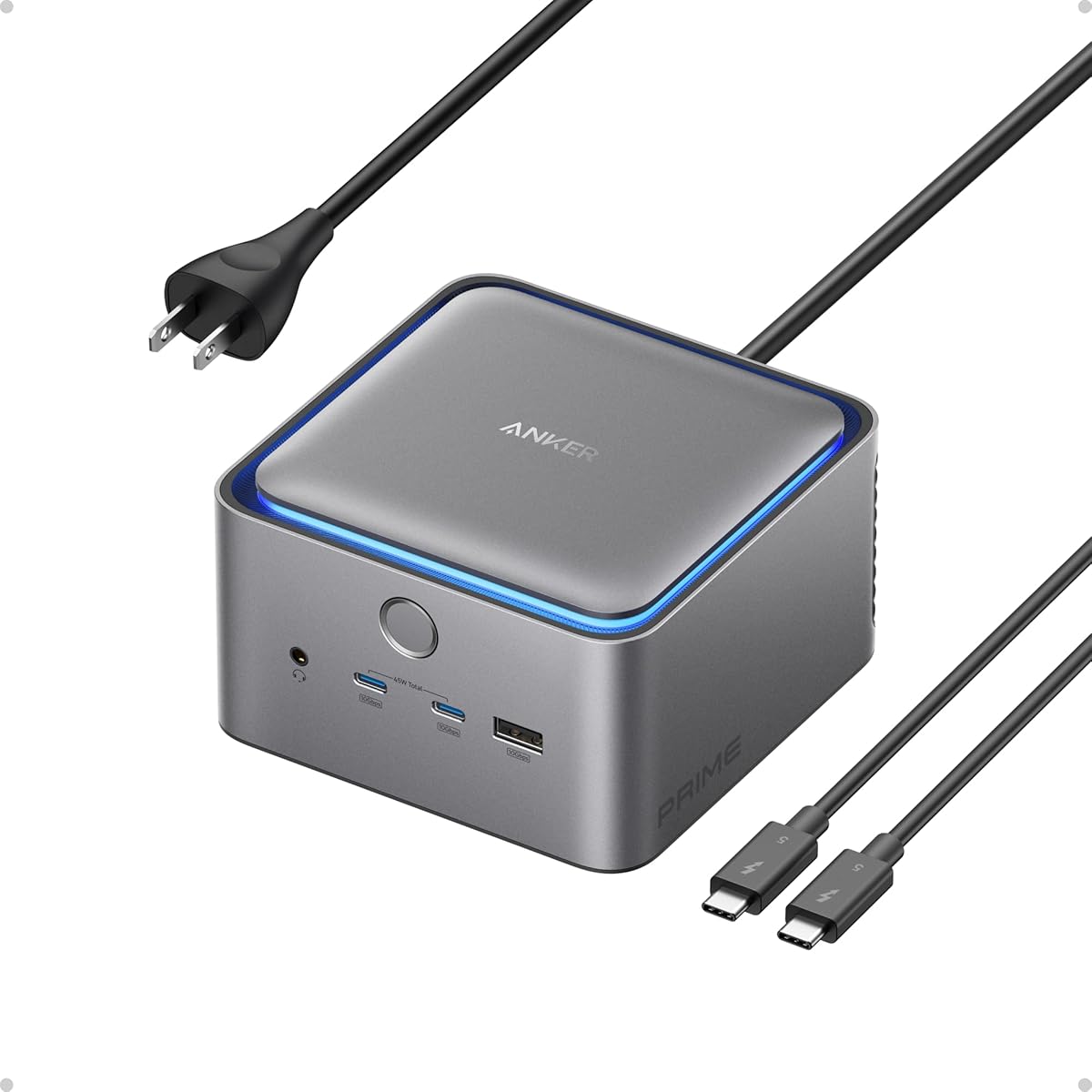
The Anker Prime TB5 is the premium technology option in this group, built around Thunderbolt 5 and a broad collection of high-speed ports. Its 4.1 rating is the lowest among the Anker docks here, but the product's specifications position it for demanding workflows that value bandwidth, cooling, and display capacity over a simpler footprint.
We may earn a commission when you buy through this link, at no additional cost to you.
The dock includes a Thunderbolt 5 upstream port, two Thunderbolt 5 downstream ports, two additional USB-C ports, three USB-A ports, SD and TF readers, a 2.5Gbps Ethernet connection, an audio jack, and either HDMI 2.1 or DisplayPort 2.1 output. Anker documents moving a 150GB file in 25 seconds through Thunderbolt 5, illustrating the value of the connection for large media and storage workflows.
Display support reaches 8K and 60Hz on a single screen. Dual 8K output is documented for Thunderbolt 5 Windows laptops, making host compatibility an essential consideration. The upstream port supports up to 140W of charging under PD 3.1, while the two front USB-C ports share 45W. An active cooling system is designed to prevent overheating under full load.
MacBook Neo compatibility is not explicitly stated in the supplied product information, and the dock's advanced features depend on the host supporting Thunderbolt 5 at the required speeds. As a result, it should not automatically be assumed to deliver every listed capability with a Neo. For a compatible modern workstation, the TB5 is a premium choice offering serious transfer performance, abundant connectivity, and active thermal management.
The dock's upstream and downstream Thunderbolt 5 connections support exceptionally fast workflows for compatible hosts. This is especially valuable for large media libraries, high-speed storage, and external workflows where file transfer time matters.
Active cooling helps maintain performance when numerous ports operate together. The dock also combines 2.5Gbps Ethernet and front USB-C charging in a package intended for demanding desk setups.
We may earn a commission when you buy through this link, at no additional cost to you.
The TobenONE Dock Stand is a space-conscious desktop solution for MacBook Pro and MacBook Air users who want their laptop elevated at the same time as it gains a full set of connections. Its 4.5 rating reflects a highly capable design that combines two 4K HDMI outputs, VGA, charging, extensive USB connectivity, card readers, Ethernet, audio, and a vertical stand.
We may earn a commission when you buy through this link, at no additional cost to you.
Dual 4K at 60Hz is available through the two HDMI ports, while HDMI2 and VGA mirror one another. That mirroring behavior is useful for presentations requiring the same content on a projector and a main display. The product provides broad compatibility with MacBook Pro models from 2016 through 2024 and MacBook Air models from 2018 through 2025, including several Intel and Apple silicon configurations listed by the manufacturer.
Charging is supported through 100W PD 3.0 power input, with the dock delivering up to 87W to the MacBook and a 100W charger included. Connectivity includes a data-only USB-C port, two 5Gbps USB 3.0 ports, two USB 2.0 ports, simultaneous SD and microSD access, Gigabit Ethernet, a 3.5mm audio jack, and two USB-C host connections.
The central question for this guide is MacBook Neo compatibility. The listed model range does not include Neo, and the product information does not expressly identify it as compatible. M1, M2, and M3 models also have a single-screen expansion restriction. For an owner of a supported MacBook Pro or Air, the dock-and-stand design is attractive for saving desk space, but a Neo buyer should favor one of the explicitly compatible models unless the seller confirms support.
The integrated stand elevates the supported MacBook while keeping its ports accessible. That makes the product more than a conventional hub and can reduce desk clutter in a single-cable office setup.
Two HDMI outputs and VGA cover several presentation arrangements, while the USB selection supports legacy and modern peripherals. Check the model's stated display limits before planning a multi-screen workspace.
We may earn a commission when you buy through this link, at no additional cost to you.
The TobenONE 18-in-2 is a premium full-workstation option with explicit MacBook Neo compatibility and a strong 4.5 rating. It combines two HDMI outputs, a 4K USB-C video port, 150W DC power, seven USB-C and USB-A data ports, 2.5Gbps Ethernet, SD and TF 4.0 card access, and a 3.5mm audio connection. Its breadth makes it suitable for a desk that must support several distinct types of equipment.
We may earn a commission when you buy through this link, at no additional cost to you.
The manufacturer clearly states that MacBook Neo is compatible but supports only a single-monitor extension. For compatible other MacBook configurations, the dock can provide dual 4K at 60Hz through DP 1.4 by choosing HDMI or the USB-C video output. That distinction matters: Neo owners should not interpret the advertised dual-monitor capability as applying to their device.
The included 150W adapter delivers up to 100W to the MacBook, while two front USB-C ports provide 30W each for phones, tablets, and earbuds. The 2.5Gbps Ethernet port supports faster wired networking, and the SD 4.0 reader offers speeds up to 312MB/s with simultaneous read and write support. Seven data ports can serve external storage, printers, mice, and other accessories without repeated hub changes.
This is the best premium choice for a Neo user who wants extensive connectivity and a permanent desk arrangement rather than a travel adapter. It should not be confused with a Mac Studio product, which the manufacturer says it does not support. Ultrawide monitors may also require reduced refresh rates or resolutions because of bandwidth competition. Even with those limits, its explicit Neo support and rich port selection make it a leading premium recommendation.
MacBook Neo users get the dock's extensive ports and charging in a single-station setup, even though extended output is limited to one monitor. Other compatible MacBook models can take advantage of dual 4K support.
The 2.5Gbps Ethernet connection and SD 4.0 reader target users who regularly transfer large files. Simultaneous card reading and writing also improves efficiency for photographers and editors.
We may earn a commission when you buy through this link, at no additional cost to you.
The Plugable Thunderbolt 4 Dock is a polished, desktop-oriented option for compatible modern Macs. Its 4.1 rating is supported by a space-gray aluminum enclosure, 13 ports, dual 4K HDMI output, 100W host charging, and driverless operation. The design feels aimed at hot desks, home offices, and professional studios where a permanent workstation is more important than a compact travel accessory.
We may earn a commission when you buy through this link, at no additional cost to you.
Two 4K displays at 60Hz are supported on M4 and M5 systems, M-series Pro and Max models, and M3 systems in clamshell mode. Base M1 and M2 systems support only one external display, while base M3 systems require clamshell mode for two displays. The dock also works with Windows systems using Thunderbolt 4 or USB4, although MacBook Neo compatibility is not expressly confirmed in the supplied information.
Its port selection includes a downstream Thunderbolt 4 port with 40Gbps bandwidth, one USB-C port, four USB-A ports, SD and microSD UHS-II readers, Ethernet, and a 3.5mm audio jack. Host charging reaches 100W. The combination of fast downstream storage, card readers, wired networking, and dual displays gives it a well-balanced profile for creative and technical users.
Plugable includes lifetime support from its North American connectivity team, which is notable for a product intended for professional deployment. The main caution for this guide is simple: MacBook Neo compatibility must be confirmed before purchase. For a compatible MacBook Pro or Air, the dock is an attractive choice because it combines tidy construction, useful expansion, and a display arrangement that is easier to understand than many general-purpose docks.
The product documentation distinguishes display behavior across several Mac generations, making it easier to match a dock to a specific machine. Neo buyers should verify their exact configuration because it is not listed among the expressly confirmed systems.
The aluminum enclosure, 100W charging, UHS-II card readers, and Thunderbolt expansion create a coherent desk setup. Driverless operation also reduces installation friction in shared offices and hot-desking environments.
We may earn a commission when you buy through this link, at no additional cost to you.
Choosing a MacBook Neo dock means balancing confirmed device support with the displays, charging, data, network, and storage connections your work actually requires. The most important first step is to separate explicitly compatible products from general docks that may work only with certain USB-C capabilities.
Start with the manufacturer's explicit MacBook Neo statement rather than assuming that every USB-C dock will work. The VENTION 6-in-2, iVANKY FusionDock 1, and TobenONE 18-in-2 specifically identify Neo compatibility in the supplied information. That makes them the safest starting points, although each has its own display limitations. In particular, the iVANKY and TobenONE listings state that MacBook Neo supports only a single external display with those docks.
Other docks may still function through compatible USB-C, Thunderbolt, DisplayPort Alt Mode, and Power Delivery features, but that is not the same as a confirmed Neo fit. Check every product listing for the exact model name, verify the required upstream cable, and avoid treating generic MacBook compatibility as evidence of Neo support. For the least uncertainty, begin with an explicitly named product.
Display support is more than an HDMI count. Look at the maximum resolution, refresh rate, number of simultaneously extended displays, operating system behavior, host chip generation, and monitor interface. Some docks offer dual 4K output for supported MacBook models, while the MacBook Neo is specifically limited to a single display with the two TobenONE options and the iVANKY model covered here.
Mac support can also involve mirrored output. The Anker 8-in-1 and Prime 14-in-1 state that both external monitors show identical content on macOS. Users who need separate application windows across two screens should prioritize extended-display documentation over the number of physical video ports.
Charging capacity matters when the MacBook is expected to run a full day while displays, storage, network adapters, and other devices remain active. Listed laptop charging figures range from 85W on the Anker 8-in-1 to 100W on several models, while the VENTION adapter advertises up to 140W pass-through and the TobenONE 18-in-2 includes a 150W power supply.
A higher adapter rating does not automatically mean that the MacBook receives the full amount, and some products require a compatible USB-C-to-C cable and wall charger. Check whether the adapter is included, identify the supported PD protocol, and confirm that the upstream cable carries both power and data. This avoids a setup that displays video but cannot charge reliably.
A large port count can be helpful, but relevance matters more than raw numbers. Frequent users of external storage, wired Ethernet, memory cards, headsets, legacy peripherals, or multiple USB-C accessories should list their requirements and compare them with the dock. A 13-port desktop model may serve a permanent office better than a compact six-in-two adapter, while a frequent traveler may prefer fewer ports in a smaller package.
Pay attention to port versions as well. USB 3.0 at 5Gbps, USB-C at 10Gbps, and Thunderbolt at 40Gbps or 80Gbps serve different needs. Ensure that the dock provides the exact connector required by each accessory rather than relying on a general-purpose adapter for every device.
Fast data transfer becomes important with external SSDs, camera files, archives, and backup devices. The VENTION hub advertises 80Gbps bandwidth, the Plugable dock includes a 40Gbps downstream Thunderbolt 4 port, and the Anker Nano and Prime docks offer USB-C connections up to 10Gbps. Other models include 5Gbps USB connections, which remain practical for many accessories.
The host, cable, dock, and peripheral must all support the advertised rate. Check the included cable specifications, especially for Thunderbolt models, because an older or lower-rated cable can reduce performance. For sustained workflows, the Anker Prime TB5's active cooling may also be relevant when many ports run simultaneously.
Docks range from compact magnetic adapters to large vertical stands. The VENTION 6-in-2 is designed for portability and easy attachment, the iVANKY FusionDock 1 and TobenONE 18-in-2 suit fixed desks, and the TobenONE Dock Stand adds vertical storage and display positioning. The Anker Nano combines a desktop dock with a detachable travel hub for users who want both roles in one package.
Physical case fit deserves special attention. The VENTION listing notes that some bottom cases interfere with its standard dual-plug design and recommends an alternative seven-shaped connector. Check the thickness and clearance around the MacBook's ports, especially if a protective case is normally attached.
Wired Ethernet can provide a more consistent connection than Wi-Fi, particularly for large transfers, meetings, and downloads. Most of the larger docks include Gigabit Ethernet, while the TobenONE 18-in-2 and Anker Prime TB5 raise the maximum to 2.5Gbps. Users without a network port on the MacBook may find this feature more valuable than another USB-A connector.
Audio support can also shape the selection. The Anker Nano, Anker Prime TB5, TobenONE Dock Stand, and TobenONE 18-in-2 include a 3.5mm audio jack. This is useful for wired headsets, speakers, microphones, or a desktop audio setup, but the dock cannot solve incompatible connector or software requirements.
A complete package can make setup faster. The iVANKY FusionDock 1 and TobenONE 18-in-2 include substantial power adapters, while the Anker Prime TB5 includes a Thunderbolt 5 cable and AC power lead. Plugable provides lifetime support, and several Anker products carry multi-year warranties. These features matter for professional users who want straightforward deployment and dependable assistance.
Review the package carefully for host cables, adapters, and regional power components. Also check whether the included upstream cable supports the desired data and charging mode. A dock that requires an unlisted specialized cable may not deliver its full advertised performance out of the box.
Begin by placing the dock where the MacBook will be used most often. Connect the appropriate upstream USB-C or Thunderbolt cable to the MacBook, then attach the display, power, network, storage, and input devices. If the dock includes an AC adapter, connect that first and allow the hub to initialize before changing display settings. For a magnetic model, attach the connector carefully and confirm that it is seated fully.
Configure the display arrangement in the Mac's system settings and select the resolution and refresh rate that both the Mac and monitor can sustain. For a single-display Neo setup, keep the dock within the mode explicitly supported by its manufacturer. Connect high-bandwidth storage directly to the fastest suitable port, avoid unnecessary adapters, and use the wired Ethernet connection when a stable network is more important than Wi-Fi convenience.
For care, keep the dock and connector surfaces free of dust, and avoid placing heavy objects on a vertical stand or compact adapter. Route cables to reduce strain on the USB-C connector, especially when the laptop is carried while attached. Unplug the upstream cable before moving the MacBook, especially when using a magnetic connection. Periodically inspect the connector for debris and update computer or dock software only when the manufacturer provides relevant instructions.
The VENTION 6-in-2, iVANKY FusionDock 1, and TobenONE 18-in-2 explicitly identify MacBook Neo compatibility in the supplied information. The iVANKY and TobenONE models state that Neo supports only a single external display. Other docks may work with some USB-C functions, but their listed compatibility should be verified before purchase.
The explicitly compatible iVANKY FusionDock 1 and TobenONE 18-in-2 both state that MacBook Neo supports a single display with those docks. This restriction applies even though the same products advertise dual-display support for certain other MacBook models and chip configurations. Choose based on the specific Neo guidance rather than the dock's general dual-monitor headline.
A USB-C hub mainly adds USB data, card-reader, display, and sometimes charging connections. A full docking station generally includes broader peripheral support, often with Ethernet, audio, multiple display outputs, sustained charging, and a larger power supply. The VENTION 6-in-2 is a compact magnetic multiport adapter, while the iVANKY and TobenONE models are more traditional permanent desktop docks.
It depends on the model and workload. Compact adapters may draw power through the MacBook, while docks with multiple displays, Ethernet, or sustained charging commonly include a substantial AC adapter. The iVANKY FusionDock 1 includes a 150W adapter, and the TobenONE 18-in-2 includes a 150W adapter. Check whether the upstream cable supports charging as well as data.
Yes, provided the Mac, dock, cable, and monitor support a compatible display mode. The available resolution and refresh rate can vary by display count and host capabilities. The VENTION hub offers HDMI at 4K and 60Hz, while the TobenONE 18-in-2 can support dual 4K on compatible non-Neo MacBook configurations.
Display behavior is determined by the combination of macOS, the Mac's chip configuration, and the dock's display outputs. The Anker 8-in-1 and Prime 14-in-1 specifically state that both external monitors show identical content on macOS. A user who needs independent windows across two screens should seek a dock and host combination with documented extended-display support.
Not always. Standard USB-A accessories and many card readers work well with 5Gbps connections, while external SSDs, archives, and high-resolution media can benefit from 10Gbps or Thunderbolt. The VENTION offers up to 80Gbps, the Plugable includes 40Gbps Thunderbolt, and several other docks provide 5Gbps or 10Gbps USB connections. Choose based on the peripherals you actually use.
It can, particularly with compact docks that use multiple attached connectors. The VENTION listing specifically warns that its standard dual-plug connection may not fit correctly with a bottom case and recommends its seven-shaped single plug for better compatibility, though that can affect appearance and stability. Check connector clearance and any manufacturer guidance before attaching a protected MacBook.
The VENTION 6-in-2 is the most practical compact choice because it explicitly supports MacBook Neo, offers high-speed data, and adds useful charging and display connections. The iVANKY FusionDock 1 is the strongest all-around permanent desk hub, while the TobenONE 18-in-2 takes the premium lead with extensive ports, fast Ethernet, fast card transfer, and a full power adapter.
Prioritize confirmed compatibility, realistic display expectations, and the peripherals you use every day. A single-monitor setup may need only a focused adapter, while a permanent office may justify Ethernet, card readers, audio, multiple USB connections, and host charging. Also verify cable requirements, case clearance, and macOS mirroring behavior before completing the setup.
Product details and pricing can change over time, so confirm the current listing, included accessories, and compatibility language at the point of purchase. The most reliable decision begins with a dock that names MacBook Neo support and then matches its documented limitations to your actual screen, charging, networking, and data requirements.