
MONTECH AIR 903 MAX
4.8Editor score
Four 140mm fans included
Supports 360mm radiators
Handles E-ATX motherboards
Explore the 10 best hybrid airflow PC cases for 2026, comparing cooling, fan support, radiator clearance, cable management, and build flexibility for buyers.
A hybrid airflow PC case combines conventional open-air ventilation with a more deliberate internal layout that can support both air-cooled and liquid-cooled systems. The best examples balance intake, exhaust, GPU cooling, component clearance, cable routing, and ease of assembly rather than treating fan count as the only measure of performance.
We compared ten cases using their listed specifications, including chamber construction, included fans, radiator support, motherboard compatibility, graphics-card clearance, and cable-management features. The list covers compact ATX mid-towers, roomy dual-chamber designs, a full tower, and premium triple-chamber models for different build priorities.
Each review explains who the case suits, which compromises may apply, and which cooling path it supports best. Product ratings are included for reference, but no products were personally tested for this guide. Prices and availability can change, so verify current listings and component dimensions before buying.
4.8Editor score

4.8Editor score

4.6Editor score
The table below compares airflow architecture, included cooling hardware, radiator capacity, and chassis format. It makes the differences between ventilated mid-towers, dual-chamber designs, and isolated triple-chamber models easy to assess.



The CORSAIR 4000D RS ARGB is a modular ATX mid-tower rated 4.7 out of 5, and it stands out for combining high airflow with unusually adjustable internal hardware. Its defining feature is the FRAME system, which makes the motherboard tray, front I/O panel, and other structural pieces more adaptable than those of a conventional fixed-layout chassis. That flexibility is particularly attractive for builders who may change components or upgrade the system over time.
We may earn a commission when you buy through this link, at no additional cost to you.
Three CORSAIR RS ARGB PWM fans arrive in the front, providing immediate front intake and a visible lighting foundation. The fans use daisy-chainable four-pin PWM connections and support Zero RPM behavior at low loads, while their addressable lighting can be controlled through a compatible motherboard header. The InfiniRail system allows front fans up to 200mm and roof fans up to 140mm to be positioned along supported mounting points, making it easier to align intake and exhaust around a particular motherboard or radiator layout.
The Y-pattern perforated steel front panel favors a low-obstruction intake path, while the removable internal side panel serves two purposes. It can conceal cables for a cleaner build or be removed to create a side-mounted fan position for additional cooling. This dual-use arrangement is less rigid than a permanently closed side panel and may require extra planning to keep cables away from moving parts, but it gives the owner meaningful control over the final airflow path.
This is a strong recommendation for enthusiasts who want excellent airflow without giving up modularity or a polished ARGB appearance. It is especially well suited to ATX systems that may evolve, use multiple fan sizes, or rely on rear-connecting motherboard standards such as ASUS BTF, MSI Zero, and Gigabyte Stealth. Those wanting a simpler installation may prefer one of the more conventional airflow designs in the list, but for versatility this case remains one of the strongest options.
The FRAME system is more than a visual design feature because it lets major internal pieces be changed or adapted. Buyers planning future motherboard, front-panel, or cooling changes gain room to adapt the chassis rather than replacing the entire enclosure.
The InfiniRail mounting system supports larger front fans and repositioned roof options, letting builders create a more intentional intake and exhaust arrangement. Side-panel fan mounting adds another route for directing air toward demanding components.
We may earn a commission when you buy through this link, at no additional cost to you.
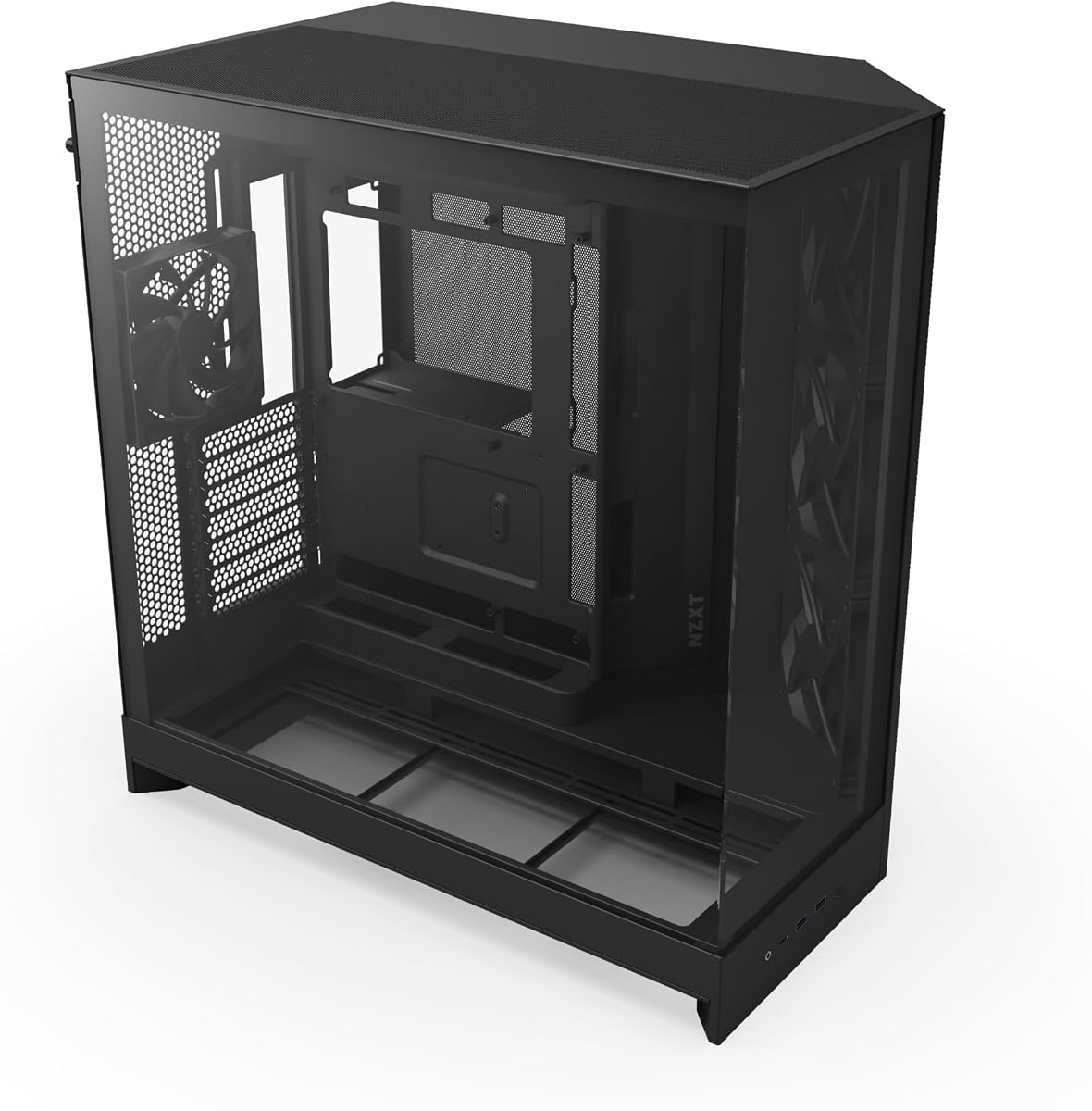
The NZXT H5 Flow is a compact ATX mid-tower with a 4.6 rating that focuses on essential airflow rather than elaborate lighting or extensive modularity. Its perforated top, front, and side panels encourage air movement while helping limit dust, and the overall design is well suited to builders who want a full-featured ATX enclosure without moving into a very large chassis.
We may earn a commission when you buy through this link, at no additional cost to you.
Two 120mm Quiet Airflow fans are pre-installed, one at the front and one at the rear. Although that is a lighter starting package than several competitors, it establishes a basic intake-and-exhaust path. The perforated side and bottom of the power-supply shroud also permits two additional 120mm fans to draw air toward the graphics card, although those fans are not included. This is important for a compact gaming system where GPU cooling can be a deciding factor.
Cooling flexibility is stronger than the small exterior might initially suggest. The case supports a 360mm radiator in front and a 240mm radiator at the top, allowing either a substantial front-mounted liquid-cooling loop or a smaller roof loop. Cable management is handled through wide channels, hooks, and straps, which helps preserve airflow by keeping wiring out of the main cooling paths.
Choose the H5 Flow if ATX support, large-radiator capability, and a relatively restrained footprint matter more than decorative glass or RGB lighting. It is a sensible starting point for air-cooled systems and for builders willing to add fans as the hardware configuration develops. Those wanting a more advanced internal chamber arrangement or a larger package of illuminated fans may find a higher-ranked option more convenient.
The H5 Flow does not require mini-ITX restrictions to deliver a broad range of cooling choices. Its front 360mm and top 240mm radiator support give compact builders paths that are often missing from smaller cases.
Perforations along the side and bottom of the power-supply shroud allow air to reach the graphics card from below. Adding compatible 120mm fans there can make a substantial difference in a densely packed compact build.
We may earn a commission when you buy through this link, at no additional cost to you.
The NZXT H6 Flow RGB pairs a clean dual-chamber architecture with three included 120mm RGB fans, earning a 4.8 rating in the supplied data. It sits between the smaller H5 Flow and the roomier H9 Flow, offering a balanced combination of component access, visual presentation, and thermal organization for standard ATX builds.
We may earn a commission when you buy through this link, at no additional cost to you.
Wraparound glass panels provide a broad view of the system, while the dual-chamber layout separates components to reduce internal crowding and improve thermal performance. The top and side panels use an airflow-optimized perforation pattern intended to increase airflow and filter dust. The result is a case that does not rely on a completely open mesh aesthetic but still takes a deliberate approach to ventilation.
Three 120mm RGB fans are pre-installed and positioned to provide cooling from the outset. Their angled placement supports the case's intended airflow path, while the RGB lighting gives buyers a finished appearance without requiring a separate lighting plan. Wide channels and straps make cable management intuitive, and the uncluttered internal layout helps those parts of the system that require regular access remain accessible.
This is an excellent general recommendation for a gaming or productivity build that values appearance, organization, and a balanced set of features. The white finish and panoramic glass make it particularly suitable for a display-oriented build. It may not be the best option for someone who wants a very large radiator, an enormous amount of storage, or a completely understated enclosure, but it delivers a remarkably complete foundation for conventional ATX systems.
Separating the main component area from the power-supply and storage zone reduces visual clutter and can improve the effectiveness of the cooling path. It also makes cable routing easier for builders who want a tidy finished system.
The wraparound glass gives the system a premium presentation, while perforated top and side panels preserve airflow opportunities. This combination works well for builds that will be photographed, shown off, or kept visible.
We may earn a commission when you buy through this link, at no additional cost to you.
The HAVN HS 420 is a full-size dual-chamber mid-tower aimed at builders who prioritize cooling expansion. Its 4.6 rating is supported by a specification sheet that is unusually ambitious: eleven 140mm fan slots and support for up to 420mm radiators on the top, right, and bottom. It is less about compactness than creating multiple viable paths for high-output cooling hardware.
We may earn a commission when you buy through this link, at no additional cost to you.
The hybrid structure is designed around balanced airflow, with cool air entering from the bottom and directed toward a centrally positioned graphics card. Custom panel ventilation supports the large number of fan mounts, while the three 420mm radiator positions provide multiple ways to arrange a liquid-cooling loop. The traditional case-size ratio may appeal to builders who want the visual proportions of a substantial mid-tower rather than a visually compact enclosure.
The SimpliCable routing system uses grooved guides running from top to bottom, accompanied by a PWM fan hub. A heat-formed UniSheet glass panel offers a panoramic view with a small curve radius intended to reduce visual distortion. The three-way adjustable graphics-card bracket supports different card shapes and sizes, and flexible rubber pads on the fan brackets help isolate the chassis from resonance.
The HS 420 is most appropriate for an enthusiast who expects to use large radiators, multiple fans, a powerful GPU, or a mixture of air and liquid cooling. Its size and cooling capacity could be excessive for a modest office PC, and a complete installation of several 140mm fans or radiators would require careful planning. Within that enthusiast context, however, it offers exceptional configuration freedom.
Three 420mm radiator mounts and eleven 140mm fan positions allow the case to scale with ambitious CPU and GPU cooling plans. The design gives builders freedom to combine large radiators, conventional fans, or a carefully staged hybrid setup.
The adjustable three-way graphics-card bracket is designed for varied card dimensions and helps maintain a neat installation. Vibration-isolating fan pads also reduce the chance of bracket resonance in a heavily populated cooling layout.
We may earn a commission when you buy through this link, at no additional cost to you.
The Antec Flux Pro is a full-tower E-ATX case with a 4.7 rating and one of the broadest cooling specifications in this guide. It supports up to twelve fans and ships with six, including three front Tranquil 140 PWM fans, two reverse P12R PWM fans on the power-supply shroud, and one rear Tranquil 140 PWM fan. That is a substantial foundation for a high-performance system.
We may earn a commission when you buy through this link, at no additional cost to you.
A multi-directional vent design reinforces the enclosure's airflow focus, while the reverse shroud fans help draw cooler air through the power-supply and graphics-card area. Removable cooling brackets on the top, front, and shroud give users some freedom to reshape the cooling arrangement. The case can also support a 420mm radiator and a 360mm radiator at the same time, making it suitable for substantial liquid-cooling loops.
The Flux Pro adds features that are useful in a full tower rather than merely increasing its size. Its innovative iShift power-supply mount allows a 90-degree orientation, and a dual CPU/GPU temperature display provides at-a-glance thermal information. The enclosure combines metal, glass, and wood to create a mixed-material appearance that will not suit every aesthetic, but it gives the case a distinctive finish.
This is a strong recommendation for builders with a large desk or floor space who want E-ATX support, multiple GPUs, extensive cooling, or room for additional storage. Because it is a full tower, it is not the right choice for compact environments. Even so, for a spacious enthusiast system, the combination of included fans, radiator flexibility, and removable hardware makes the Flux Pro unusually practical.
Removable brackets on the top, front, and power-supply shroud reduce the rigidity of a fixed cooling layout. Builders can adapt the positions as radiator dimensions, GPU thickness, or cable routing requirements evolve.
E-ATX support, twelve potential fan positions, and simultaneous large-radiator installation create room for demanding components. The six included fans provide a useful starting configuration without defining every future upgrade.
We may earn a commission when you buy through this link, at no additional cost to you.
The Cooler Master HAF II 500 is a high-airflow ATX chassis with a 4.8 rating and an immediately recognizable cooling strategy. Its Mighty40 system uses two 220 by 40mm fans at the front and a 180 by 40mm fan at the rear, producing substantial airflow through unusually large openings. The philosophy is simple: move more air with fewer, larger fans.
We may earn a commission when you buy through this link, at no additional cost to you.
Low airflow resistance is central to the design. Large front and rear ventilation openings help reduce the restriction that can slow air through densely packed mid-towers. Split-level cable management creates room for routing while preserving space around the oversized rear exhaust. The MasterRail system adds flexibility at the front and roof, allowing different fan and radiator sizes to be mounted as the build changes.
The dual-mode graphics-card holder can clamp a single card for stability or support two cards up to 3.6 slots thick in total, with each card limited to 72mm. A flexible storage cage supports both 3.5-inch and 2.5-inch drives and can be oriented according to power-supply length. These details reflect the case's broader emphasis on adapting to different hardware arrangements rather than forcing every builder into a single layout.
The HAF II 500 is a compelling choice for a high-airflow enthusiast system, particularly one using large front fans and a powerful CPU cooler. It is less convenient for a small desk because of its large dimensions and unusual 220mm intake hardware. Within an ATX case, however, the 4.8-rated design offers a direct, fan-focused approach that can be especially effective when paired with high-quality large-frame fans.
The pair of 220mm front intakes can move substantial air through the chassis, while the 180mm rear fan provides a large exhaust. This configuration can suit builders who prefer fewer, larger fans to a crowded array of smaller ones.
The dual-mode GPU holder accommodates either one card or two within a defined thickness allowance. The storage cage can also change orientation, making it easier to match drive placement to the available power-supply area.
We may earn a commission when you buy through this link, at no additional cost to you.
The CORSAIR AIR 5400 RS ARGB is a premium triple-chamber mid-tower with a 4.6 rating. Rather than treating the enclosure as one shared cavity, it divides the CPU, motherboard and GPU, and power-supply or storage areas into isolated zones. This is a more deliberate approach to airflow, with each section assigned a specific role in the overall thermal path.
We may earn a commission when you buy through this link, at no additional cost to you.
The front CPU chamber can hold a 360mm radiator, isolating that cooler from the central hardware area so heat from the CPU cooling loop does not immediately mix with GPU and motherboard airflow. The central chamber is designed around massive vertical airflow that cools the main components and then guides hot air toward an exhaust. At the bottom, a dedicated power-supply and storage chamber has its own intake and exhaust locations to keep those components from interfering with the primary cooling route.
An airflow duct above the bottom fan array accelerates air into a narrow channel. The stated purpose is to increase airflow velocity without requiring higher fan speeds, potentially improving cooling while keeping noise under control. This makes the AIR 5400 RS more than a conventional mesh chassis; its performance depends on planning the direction, placement, and purpose of each fan in relation to the chambers.
The AIR 5400 RS ARGB is best suited to a premium build where cooling, visual presentation, and organized architecture all matter. It is particularly compelling for a powerful system combining a large CPU radiator with a demanding GPU because the separated zones can keep competing heat sources from sharing the same immediate airflow path. The case also appeals to builders who value a panoramic interior and a carefully designed architecture over the simplicity of a basic open-air frame.
Separating the CPU radiator from the central component chamber can prevent the cooler's exhaust from immediately feeding warmer air into other hardware. The dedicated lower chamber similarly isolates power-supply and storage heat from the main airflow.
The bottom airflow duct directs a concentrated stream through a narrow channel. Because the air is accelerated by the geometry of the enclosure, the case can improve effective cooling without relying exclusively on noisier, faster fan operation.
We may earn a commission when you buy through this link, at no additional cost to you.
The NZXT H9 Flow is a spacious dual-chamber ATX case rated 4.7, positioned as a step up from compact mid-towers. It offers substantial cooling capacity, room for large radiators, and a panoramic view, while separating the power supply and drives from the main components. The result is a practical high-airflow platform for builds that need room to grow.
We may earn a commission when you buy through this link, at no additional cost to you.
Four fans are pre-installed: three F140Q case-version fans in the front-right position and one F120Q case-version fan at the rear. These are three-pin DC case fans, an important detail for owners who prefer PWM control or plan to connect them to a motherboard hub. The case supports up to nine 140mm fans across the top, front-right, and bottom, plus one 120mm rear fan, providing a total capacity of ten positions.
Perforated steel panels and angled front-right fans are designed to create an efficient cooling path, and the case supports up to 420mm radiators on the top and front-right. Extra-wide channels, built-in hook-and-loop straps, and tie-down points make cable routing easier, while compatibility with rear-connecting motherboards such as ASUS BTF and MSI Project Zero can produce a cleaner, cable-free rear aesthetic.
Choose the H9 Flow for a large ATX or E-ATX-oriented build that needs generous radiator options, more expansion room, and a polished panoramic presentation. It is less compelling for a small form factor or a builder specifically seeking PWM-controlled case fans, because the included fans use case-version three-pin connections. For a full-size hybrid airflow system, however, it offers an effective balance of room, organization, and cooling capability.
Support for 420mm radiators at the top and front-right provides a meaningful upgrade path. The ten-position fan capacity gives builders room to create dedicated intake and exhaust zones without overcrowding a single area.
Wide routing channels and integrated straps reduce the work required to organize cables. Rear-connector motherboard support complements that effort by allowing many of the major cables to connect on the back of the board.
We may earn a commission when you buy through this link, at no additional cost to you.
The CORSAIR AIR 5400 LX RGB is a panoramic triple-chamber mid-tower rated 4.7. Like the AIR 5400 RS ARGB, it separates the CPU cooling area, central motherboard and GPU area, and lower power-supply and storage area. The LX version emphasizes the RGB and panoramic presentation of the architecture, making it a strong option for a showcase build.
We may earn a commission when you buy through this link, at no additional cost to you.
A front CPU chamber can accept a 360mm radiator, keeping that cooling loop separate from the main component chamber. The central space focuses on vertical airflow for the motherboard and graphics card before moving the heated air toward an exhaust. The lower chamber gives the power supply, storage, and cables dedicated intake and exhaust locations, reducing their influence on the primary cooling path.
The bottom duct accelerates airflow from the main chamber's lower fan array into a narrow channel. This is a particularly interesting detail for builders who want directed cooling without simply increasing fan speed. The panoramic tempered-glass view allows the separated chambers and carefully routed cables to remain visible, while RGB lighting adds visual continuity to a high-end build.
The AIR 5400 LX RGB is most appropriate for users who want a refined appearance and sophisticated thermal organization rather than a basic ventilated box. It works especially well with a powerful GPU and a substantial CPU cooler because the three zones help manage their separate heat sources. Those who want a simpler installation or a smaller case may prefer less compartmentalized options, but for a premium mid-tower the LX provides a compelling combination of presentation and purpose-driven airflow.
The front, central, and lower chambers each have a distinct function. This organized approach can reduce interference between CPU exhaust, GPU heat, and power-supply airflow while also keeping the interior visually structured.
Panoramic tempered glass allows the component layout to remain visible. Because the chambers and airflow paths are deliberately designed, the case can function as both a cooling enclosure and a clean visual centerpiece.
We may earn a commission when you buy through this link, at no additional cost to you.
The MONTECH AIR 903 MAX is a high-airflow E-ATX mid-tower with a 4.8 rating and a notably generous foundation for the money. Its ventilated mesh front panel is designed to admit air readily, while the 478 by 230 by 493mm chassis leaves room for demanding components rather than sacrificing cooling potential to a very compact layout.
We may earn a commission when you buy through this link, at no additional cost to you.
Four 140mm fans are already fitted. Three HP140 ARGB PWM fans sit at the front, while a 140mm PWM fan occupies the rear. This creates a useful front-intake and rear-exhaust arrangement from the start, with addressable lighting and adjustable fan speeds available on the front units. The larger 140mm format gives builders a strong airflow package without requiring a separate purchase for a basic balanced configuration.
Radiators up to 360mm can be installed at the front and top, allowing a substantial liquid-cooling loop or a flexible air-cooled build. Motherboard support extends to E-ATX, ATX, Micro-ATX, and Mini-ITX, and graphics cards up to 400mm fit inside. The front I/O includes USB Type-C, two USB 3.0 ports, microphone and audio jacks, power and reset buttons, and an LED control.
The AIR 903 MAX is an excellent recommendation for a first serious gaming build or an upgrade that needs more cooling flexibility than a compact case can provide. It prioritizes function over a highly decorative enclosure, so buyers seeking a minimalist tempered-glass design may prefer the NZXT H6 Flow RGB. For straightforward high airflow, strong included hardware, and broad platform compatibility, however, the MAX is exceptionally difficult to overlook.
The three front ARGB PWM fans and one rear PWM fan establish a clear cooling path immediately. Larger fans can also move useful air while operating at lower speeds than many smaller alternatives, depending on the specific performance characteristics.
E-ATX support, 400mm graphics-card clearance, and front-and-top 360mm radiator positions make the chassis adaptable. Buyers can begin with a strong air-cooled system and add liquid cooling later without immediately outgrowing the enclosure.
We may earn a commission when you buy through this link, at no additional cost to you.
Choosing a hybrid airflow case means balancing airflow direction, component compatibility, cooling hardware, physical size, and build convenience. The most important starting point is the planned hardware rather than the number of fans advertised on the product page.
Begin with motherboard format, graphics-card length and thickness, power-supply dimensions, storage needs, and cooler height. ATX mid-towers cover a broad range of standard components, but some designs limit full-size ATX boards, long GPUs, or front radiators. E-ATX support is useful for workstation-style boards and highly customized systems, while a full tower offers the most room but requires substantial desk or floor space.
A productive cooling path usually draws cool air through front or bottom intake positions, moves it across the CPU and GPU, and exhausts warmed air through the rear or top. Cases with angled fans, ducts, or dedicated chambers are designed to make that path more intentional. Look for openings located near the components that need cooling, especially above a thick graphics card, and avoid treating a large empty fan mount as proof of effective airflow.
Radiator support must be considered alongside case width, motherboard orientation, drive placement, and the graphics card. A case may support a 360mm radiator in front, at the top, or both, but each location has different consequences. Front radiators can cool the CPU directly, while top radiators may require a longer tube set and can conflict with tall memory or an exhaust-heavy layout. Dual 420mm support is uncommon and usually indicates a very large enclosure.
Included fans determine how complete the case feels on arrival, but their size, control method, lighting, and orientation matter more than the count. The MONTECH AIR 903 MAX includes three 140mm ARGB PWM front fans and a 140mm PWM rear fan, while the NZXT H9 Flow includes three 140mm case fans and one 120mm case fan. Some models use three-pin DC case versions rather than four-pin PWM, so confirm what the motherboard or hub can control.
Modern gaming PCs often place more cooling demand on the graphics card than many buyers initially expect. A perforated power-supply shroud, side intake, or dedicated GPU chamber can keep card temperatures and fan noise under control. CPU coolers also need adequate airflow, especially in compact cases where a large tower cooler may obstruct front fans. Dual-chamber and triple-chamber designs can reduce interference, but only if the intake and exhaust fans are arranged to support the intended path.
Cable management affects both appearance and airflow. Look for wide routing channels, straps, hooks, tie-down points, a removable cover, and a power-supply shroud that conceals excess wiring. Rear-connecting motherboard support can further clean the view, but it restricts motherboard selection. Also consider whether drive cages, fan hubs, radiators, and the graphics card can be installed without forcing cables through narrow gaps or obstructing service access.
Large fans, multiple radiators, and full-tower dimensions can improve thermal headroom but may make the system visually dominant and require more fan power. Mesh-heavy cases prioritize ventilation, while panoramic glass cases suit display builds but can show cable clutter. A restrained design can be easier to keep tidy, while RGB lighting adds visual personality and may require compatible software or motherboard control. Choose a style you will enjoy maintaining, not just one that looks impressive in a product photograph.
A good case should accommodate at least one meaningful upgrade. Modular layouts, adjustable rails, removable cooling brackets, and wide fan options can make a later change easier. Look for compatibility with large graphics cards, multiple storage devices, and at least one large radiator position. Confirm that the stated motherboard support, fan capacity, and radiator support can operate together in the same configuration rather than treating each specification as an independent feature.
Install the case fans in the correct direction before connecting the rest of the system. Front and bottom positions should generally move air into the chassis, while rear and top positions exhaust it, although some cases use reverse fans beneath a power-supply shroud to pull cooler air upward. Confirm the arrows printed on the fan frames and use the supplied screws or correct mounting hardware. Connect four-pin PWM fans to a PWM header or compatible hub, and connect three-pin DC case fans only to a header designed for that control method.
Plan the radiator and fan layout before closing panels or securing the graphics card. Leave the required clearance around tubes, memory, drive cages, and the top of a large CPU cooler. Route power, data, and front-panel cables through the designated channels, keeping them away from intake fans and sharp metal edges. Tie down excess cable length so it does not sag into a spinning fan or obstruct a removable bracket.
After the build is complete, power on the fans and confirm that every blade turns in the intended direction. Check that the graphics card, CPU cooler, storage, and power supply receive airflow and that no component is blocked by a thick cable. Clean exterior dust filters according to the manufacturer's instructions, use gentle cleaning products on glass and panels, and avoid compressing dust into fine mesh with excessive force. Periodically inspect fan mounts, cable ties, and the interior for accumulated dust.
A hybrid airflow case uses conventional vented panels, often combined with dedicated chambers, ducts, angled fans, or perforated shrouds to control the cooling path. It differs from a purely open-mesh case by adding structure intended to separate component zones or guide air toward specific hardware. The best design still allows clean intake and exhaust, but it makes more deliberate use of the available internal space.
No. Chamber separation can reduce interference between CPU, GPU, and power-supply airflow, but results depend on fan placement and radiator configuration. A poorly arranged triple-chamber system can still suffer from recirculation or blocked intake. Compare the case's documented airflow paths and plan the final fan configuration rather than judging it by chamber count alone.
It depends on the chosen model and cooling plan. The MONTECH AIR 903 MAX and NZXT H6 Flow RGB provide strong three-fan starting packages, while the NZXT H5 Flow includes only two 120mm fans. The H9 Flow and Flux Pro include four and six fans respectively, but their included fans may not cover every ideal position. Additional fans are useful when adding GPU intake, completing a radiator loop, or increasing exhaust capacity.
The listed specifications support 360mm radiators in the NZXT H5 Flow, H9 Flow, and MONTECH AIR 903 MAX, subject to the stated position and component-clearance requirements. Larger cases may support 420mm units, but that capability is not universal. Check the radiator position, GPU height, CPU cooler, tube routing, and motherboard orientation before ordering.
PWM fans with four-pin connectors can usually be connected directly to a compatible four-pin PWM motherboard header, provided the combined current remains within the header's limit. Three-pin case-version fans, such as those included with the NZXT H9 Flow, require a compatible three-pin DC header or hub. Do not force a three-pin connector into a four-pin socket or connect PWM fans to a three-pin-only header without verifying the specifications.
A full tower generally offers more space for fans, radiators, storage, and cable routing, but it does not automatically cool better. Airflow depends on vent placement, fan direction, and whether the internal layout prevents recirculation. If a mid-tower provides the required radiator size and component clearance, its smaller footprint and easier installation may make it more practical.
Fine mesh can reduce the entry of larger dust particles while preserving airflow, but it does not eliminate dust completely. Filters need periodic cleaning, especially in rooms with carpet, pets, or frequent computer use. Avoid placing a case directly against a wall if its design relies heavily on front or bottom intake, because restricted external airflow can reduce the benefit of the internal cooling path.
Both approaches can work because the listed cases support substantial radiator configurations. A large air-cooled CPU heat sink can simplify the build and move heat directly into the rear exhaust path, while liquid cooling offers more placement flexibility and can suit large CPUs. Choose based on CPU output, case clearance, radiator position, maintenance preference, and the airflow path you intend to build.
The MONTECH AIR 903 MAX is the strongest value-oriented choice because four 140mm fans, broad motherboard support, dual 360mm radiator positions, and generous graphics-card clearance create a capable foundation. The NZXT H6 Flow RGB is the most balanced recommendation for buyers who want a polished dual-chamber design, three RGB fans, and a clean panoramic interior. For the premium end, the CORSAIR AIR 5400 RS ARGB offers the most specialized architecture, with isolated CPU, GPU, motherboard, power-supply, and storage zones.
Prioritize the cooling path over the raw fan count. Confirm the airflow direction, radiator position, GPU clearance, motherboard format, cable routes, and case dimensions before buying. Match the enclosure to the hardware already in the build and the components you expect to add later; extra case volume is useful only when it translates into a sensible, organized installation.
Finally, check current product listings, warranty details, included accessories, and availability before ordering because prices and configurations can change. Compare the measured dimensions of every major component with the case specifications, and decide whether RGB, panoramic glass, or a plain high-airflow design best matches your priorities.