
Brother Work Smart 1360
3.8Editor score
Direct Google Drive access
Compact color display
Automatic document feeder
A printer for Google Cloud should make shared documents easy to retrieve, print, and scan without tying every workflow to one computer. The most useful models combine dependable wireless connectivity, familiar mobile services, clear controls, and practical paper handling for reports, photos, invoices, and multipage documents.
We compared ten printers based on their documented cloud connections, wireless options, print and scan functions, paper capacity, automatic duplexing, displays, and intended home or office roles. The list covers compact inkjets, tank printers, business-oriented models, and a monochrome laser machine for users who print frequently.
Each review explains where a printer stands out, where its compromises may matter, and who is most likely to appreciate it. The award labels identify the three leading choices, while changing availability and retailer offers mean readers should verify current details and terms before ordering.
3.8Editor score

4.2Editor score

3.9Editor score
As an Amazon Associate we earn from qualifying purchases.
The comparison below shows how the ten shortlisted printers differ in cloud integration, connectivity, document handling, and practical office features, making it easier to match a printer to a particular Google-based workflow.




The Canon PIXMA TS6520 earns the Editor's Choice position because it balances wireless access, modern controls, useful document features, and a compact footprint. Its 4.2 rating reflects a generally favorable user response, while its documented support for the Canon PRINT App, Apple AirPrint, and Mopria Print Service makes it a practical option for printing material stored in online services and shared mobile workflows.
We may earn a commission when you buy through this link, at no additional cost to you.
Dual-band Wi-Fi is one of the most important strengths because the printer can operate on either 2.4GHz or 5GHz networks. That flexibility is valuable in homes and offices where different devices may favor different bands. Automatic duplex printing also gives it a clear advantage for multi-page reports, and the combination of print, copy, and scan functions allows it to handle more than simple documents.
The 1.42-inch monochrome OLED display is modest in size, but it provides useful status information such as ink levels and printer settings without requiring an app. The main compromise is the absence of a listed automatic document feeder. For repetitive copying or scanning, another model may be more efficient, and the two-cartridge hybrid ink arrangement may be less economical for extremely high color volumes than a tank-based printer.
This Canon is best for hybrid workers, students, and home users who want flexible mobile printing, attractive color output, and duplex capability in a relatively small machine. It is a strong all-around recommendation for a Google Cloud-oriented setup because it emphasizes broadly useful wireless compatibility rather than a narrow application-only workflow.
Support for 2.4GHz and 5GHz networks helps the TS6520 adapt to different wireless environments. The included mobile printing options also make shared documents easier to send from a phone or tablet without beginning every task at a computer.
The OLED status display keeps ink and device information close at hand, while automatic duplex printing helps control paper use. Together, these features suit a shared office where several people may alternate between mobile, color, and multipage jobs.
We may earn a commission when you buy through this link, at no additional cost to you.
The Brother Work Smart 1360 is the Best Budget selection because it provides unusually direct access to Google Drive alongside Dropbox, Box, OneDrive, and other popular cloud applications. Its 3.8 rating is the lowest among the featured products, but the documented feature set is well aligned with users who want to print and scan cloud-hosted files without managing them exclusively through a computer.
We may earn a commission when you buy through this link, at no additional cost to you.
The 1.8-inch color display gives users an approachable on-device interface for cloud connections and routine functions. Automatic duplex printing and a 20-sheet single-sided automatic document feeder are especially useful for schoolwork, reports, and home-office jobs. With a 150-sheet paper tray and print speeds listed at up to 16 pages per minute in black and 9 pages per minute in color, it balances capacity with manageable size.
The compact printer supports wireless and USB connections, and the Brother Mobile Connect app handles mobile printing, copying, scanning, device management, and ink monitoring. The trade-offs are a smaller non-touch display and a rating that suggests some buyers may have encountered mixed experiences. Users seeking a larger interface or faster color output should look higher in the list.
It is a compelling recommendation for students, remote employees, and families whose documents are primarily stored in Google Drive. Its cloud app connections, document feeder, and automatic duplexing make it more versatile than a basic home printer while remaining compact and financially focused.
Rather than treating cloud printing as a general mobile feature, this model puts Google Drive directly into its on-screen cloud workflow. That makes it especially appropriate for teams already organizing work around shared Google-based folders and documents.
The 20-sheet feeder allows multi-page originals to be copied or scanned without moving each sheet manually. Automatic duplex printing adds efficiency for routine two-sided reports, although the compact 1.8-inch display remains basic compared with touchscreens.
We may earn a commission when you buy through this link, at no additional cost to you.
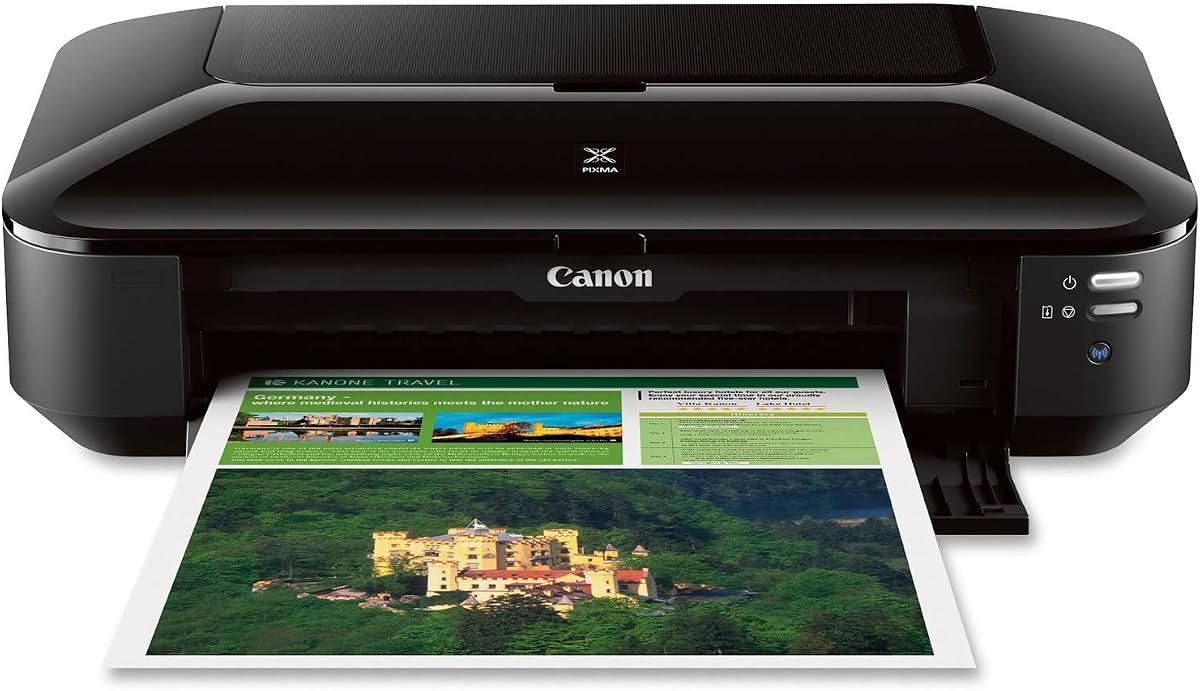
The Canon Pixma iX6820 is a business-oriented wireless inkjet built around compatibility with AirPrint, Google Cloud Print, and Pixma Printing Solutions. Its 4.1 rating supports its reputation as a capable general-purpose printer, while the larger chassis, 150-sheet feeder, and five-ink-tank system target users who produce more substantial color and monochrome output than a compact home model.
We may earn a commission when you buy through this link, at no additional cost to you.
The maximum resolution of 9600 by 2400 dots per inch indicates an emphasis on detailed photo and image output. Five separate ink tanks provide dedicated black, cyan, magenta, yellow, and photo black inks, which offers finer color control than a basic two-cartridge system. The automatic sheet feeder holds 150 sheets, reducing the need for frequent refills during busy document runs.
Its principal concern is the age of the listed platform compatibility, which includes older Windows and Mac operating systems. Buyers should confirm that their current devices and preferred cloud workflow are fully supported before purchasing. Its larger dimensions may also be inconvenient in a tight home workspace even though the additional capacity benefits a shared office.
The iX6820 makes sense for a small business or advanced home user who values explicit Google Cloud Print support, strong image quality, and substantial ink and paper capacity. It is less compelling for someone who simply needs a modern phone-first printer or a very compact machine.
The five-tank ink system and high stated resolution make the iX6820 attractive for photo-heavy work, presentations, and marketing materials. Separate color tanks can also make it easier to think about which colors a mixed set of documents will consume.
A 150-sheet automatic feeder suits a steady flow of reports and reference documents. It reduces interruptions compared with smaller trays, although the printer's overall footprint requires more desk space than the compact models in this guide.
We may earn a commission when you buy through this link, at no additional cost to you.
The HP OfficeJet Pro 8125 combines a large touchscreen, generous paper capacity, automatic document handling, and dual-band wireless connectivity. Its 3.9 rating reflects a solid but not exceptional score, yet the feature set is among the most complete for a color inkjet intended for a home office or small business.
We may earn a commission when you buy through this link, at no additional cost to you.
The 2.7-inch color touchscreen offers a phone-like interface that is more approachable than a small monochrome status display. A 20-page automatic document feeder, automatic two-sided printing, and a 225-sheet input tray support common office workflows. The printer can also handle color documents, reports, presentations, and flyers, with listed speeds of up to 20 pages per minute in black and 10 pages per minute in color.
The HP app supports mobile print, scan, copy, and fax functions, while HP AI is intended to improve the formatting of web pages and emails. There are two notable ownership considerations: an included Instant Ink trial becomes a paid monthly service after the trial unless canceled, and the printer is designed to work only with cartridges containing original HP chips or circuitry. Those conditions may matter for buyers who prefer third-party consumables.
This is a strong premium-style choice for a busy home office that values a large display, substantial paper capacity, and intuitive mobile controls. Users who prioritize explicit Google Drive access should examine the Brother models, while those wanting the simplest ink refill process may find the HP Smart Tank more approachable.
The 2.7-inch color display provides more room for settings, status information, and cloud-oriented menus than a compact monochrome screen. Its interface resembles a phone, which can make switching between printing, scanning, and copying more approachable.
A 225-sheet input tray and 20-page feeder are well suited to recurring office documents. Automatic duplexing reduces paper consumption, while dual-band Wi-Fi helps the printer remain reachable across a varied home-office network.
We may earn a commission when you buy through this link, at no additional cost to you.
The Canon MegaTank G3270 is designed for users who care more about output volume than a large control panel. It has a 4.1 rating, offers wireless printing, copying, and scanning, and is advertised with up to two years of ink included and a stated capacity of up to 6,000 black-and-white or 7,700 color pages per set of inks.
We may earn a commission when you buy through this link, at no additional cost to you.
Those page figures make the MegaTank G3270 a logical choice for a busy household, classroom, or small office that may print frequently. The tank-based format separates ink supply from the printer body, and the 1.35-inch square LCD provides a straightforward way to review status and select basic settings. Wireless connectivity allows users to place the machine away from a computer and print from a supported mobile device.
Automatic duplex printing is not listed, so multipage reports may require manually reversing pages or using one-sided output. The small LCD is also less convenient for complex cloud navigation than the Brother 1410's 2.7-inch touchscreen or the HP OfficeJet Pro 8125's 2.7-inch color display. These are important limitations for users who handle long, frequently printed documents.
The G3270 is best for a Google Cloud workflow where cost and sustained ink capacity dominate the buying decision. It is especially useful for shared family or office printing, while those who routinely produce two-sided reports should prioritize a model with automatic duplexing.
The stated black, color, and page-volume figures indicate that this model is built for sustained use. A tank-style ink supply can be a better fit than cartridges for users who print many cloud-hosted reports, lesson plans, and reference pages.
Wireless print, copy, and scan functions provide a flexible foundation for shared spaces. The small square display is easy to consult, though buyers who expect extensive on-device cloud browsing may prefer a larger touchscreen.
We may earn a commission when you buy through this link, at no additional cost to you.
The HP Smart Tank 5003 is built around a cartridge-free ink tank system and a substantial included ink supply. Its 3.9 rating places it in the middle of the group, but the stated allowance of up to three years of ink and up to 6,000 pages makes it relevant to anyone expecting regular document or color printing from shared cloud content.
We may earn a commission when you buy through this link, at no additional cost to you.
The refill process uses plug-in ink bottles that drain into the tank without squeezing, which the manufacturer describes as a mess-free approach. Print, copy, scan, borderless printing, mobile printing, and wireless printing are all supported. These functions give it enough flexibility for typical household, classroom, or home-office work while the large ink capacity reduces the frequency of refills.
The main drawback is the lack of a listed touchscreen or document feeder in the supplied specifications. The product description does not identify automatic duplex printing, and the absence of a large display may make some cloud tasks less convenient directly on the machine. Buyers should therefore confirm the exact mobile and computer setup process for their preferred Google-based services.
This printer is a strong fit for high-volume users who want straightforward tank refills and substantial ink included in the box. It is less suitable for an office that depends on automatic feeder-assisted scanning and two-sided output, where the OfficeJet Pro 8125 or Brother Work Smart models provide more document handling.
The plug-in bottle system avoids the repeated squeezing used by some refillable tanks. Its cartridge-free design is straightforward for users who want to replenish supplies without handling a conventional small ink cartridge.
Wireless and mobile printing make it easy to place the device away from a workstation and send cloud-hosted documents from a compatible phone. Borderless support is useful for photos and images intended to reach the edge of compatible photo paper.
We may earn a commission when you buy through this link, at no additional cost to you.
The Canon PIXMA TS4320 is the most compact-oriented option in this group, combining wireless color printing, copying, scanning, and automatic duplexing in a small footprint. Its 3.9 rating indicates a generally positive reception, while Canon PRINT App, AirPrint, and Mopria support provide several practical ways to print shared or mobile content.
We may earn a commission when you buy through this link, at no additional cost to you.
Dual-band Wi-Fi allows the printer to work across 2.4GHz and 5GHz networks, and automatic duplex printing is a welcome feature in a compact unit. It can handle documents and photos up to 8.5 by 11 inches, with or without borders, making it useful for assignments, household forms, recipes, and casual image printing. EPEAT Silver and ENERGY STAR certification also distinguish it from printers without stated environmental credentials.
Unlike the TS6520, the TS4320 does not list a display or an automatic document feeder. That keeps the unit smaller and potentially simpler, but it also means users must rely on the computer or mobile interface for status and settings. The two-cartridge hybrid ink system is similarly straightforward for ordinary use but is not the ideal configuration for very large color workloads.
This model is a good recommendation for students, apartment dwellers, and hybrid workers with limited desk space who still want automatic duplex printing. It is less appropriate for offices that scan long stacks of paper or prefer a built-in display for choosing cloud files without a phone.
The compact enclosure makes the TS4320 easier to place in a home office or dormitory. Despite its size, it retains dual-band Wi-Fi and automatic duplexing, two features often associated with larger machines.
EPEAT Silver and ENERGY STAR certification give environmentally conscious buyers documented criteria to consider. Borderless and bordered output options make the printer useful for both standard documents and photo-oriented projects.
We may earn a commission when you buy through this link, at no additional cost to you.
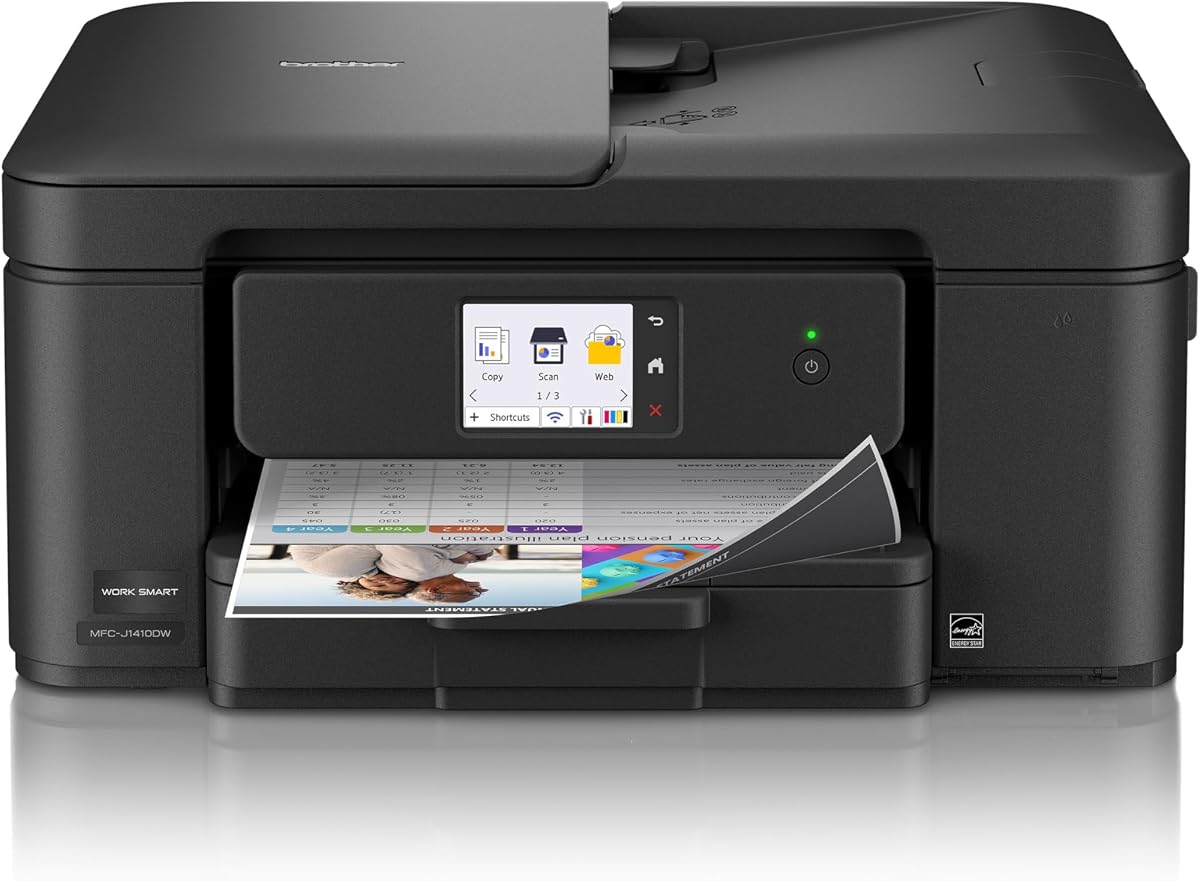
The Brother Work Smart 1410 stands out for its 2.7-inch color touchscreen and direct access to Google Drive, Dropbox, Box, OneDrive, and other cloud applications. Its 4.0 rating is solid, and the combination of on-device cloud navigation, automatic duplexing, and a document feeder gives it a particularly clear role in a home or small office.
We may earn a commission when you buy through this link, at no additional cost to you.
Users can print from and scan to popular cloud services directly through the touchscreen, reducing the need to open a separate browser workflow for every task. The Brother Mobile Connect app adds mobile navigation, device management, and ink monitoring. Connectivity options include the wireless network and USB, while the compact enclosure helps control the space required for a multifunction machine.
The 150-sheet paper tray and 20-sheet single-sided automatic document feeder support recurring jobs, and stated speeds reach up to 16 pages per minute in black and 9 pages per minute in color. The trade-off is the included Refresh subscription trial, which may transition to a paid service according to its terms. Brother also recommends its own genuine LC501 ink cartridges for reliable operation.
This model is an excellent recommendation for users who want a large cloud-service interface without moving to a business laser printer. It is especially useful for shared household or office documents stored in Google Drive, particularly when automatic scanning and duplex printing justify the added capabilities.
The 2.7-inch color display is significantly more useful for choosing cloud files than a minimal status screen. Direct access to Google Drive and competing storage services gives the machine a broader cloud workflow than a single-service printer.
Automatic duplexing and a 20-sheet feeder reduce repetitive handling, while the 150-sheet tray limits refill interruptions. The touchscreen, mobile app, and multiple connection options create a versatile setup for shared workspaces.
We may earn a commission when you buy through this link, at no additional cost to you.
The Canon PIXMA TR7120 combines a 4.2 rating with a useful set of office features: wireless color printing, copying, scanning, an automatic document feeder, and automatic duplexing. It is a particularly balanced home-office option, offering more document handling than the TS4320 while remaining compact enough for a mixed-use workspace.
We may earn a commission when you buy through this link, at no additional cost to you.
The automatic document feeder helps with multipage copying and scanning, while automatic two-sided printing reduces the need to turn pages manually. Dual-band Wi-Fi provides more connection flexibility than a single-band wireless printer, and the 1.42-inch monochrome OLED display shows ink levels and printer status at a glance. Canon PRINT App, AirPrint, and Mopria support cover the principal mobile printing paths described in the product information.
Its two-cartridge hybrid ink system is the main limitation for extremely heavy color use. Compared with the Brother Work Smart models, its cloud integration is more app-oriented and less explicitly built around a touchscreen directory of Google Drive and other services. Users who want to browse large collections of cloud files directly at the device may prefer the Brother 1410.
The TR7120 is best for home workers and families that need to print and scan longer documents occasionally, print photos, and keep the machine compact. It is a confident recommendation when a feeder, duplexing, status display, and broad mobile compatibility matter more than a tank-based ink system.
The automatic document feeder is the feature that separates the TR7120 from more basic compact models. It makes occasional multipage copying and scanning more convenient without requiring the printer to occupy a large amount of desk space.
A small OLED display keeps essential status information visible, while dual-band Wi-Fi and three mobile printing options offer several paths into the same device. This mix works well for users who alternate between computers, phones, and tablets.
We may earn a commission when you buy through this link, at no additional cost to you.
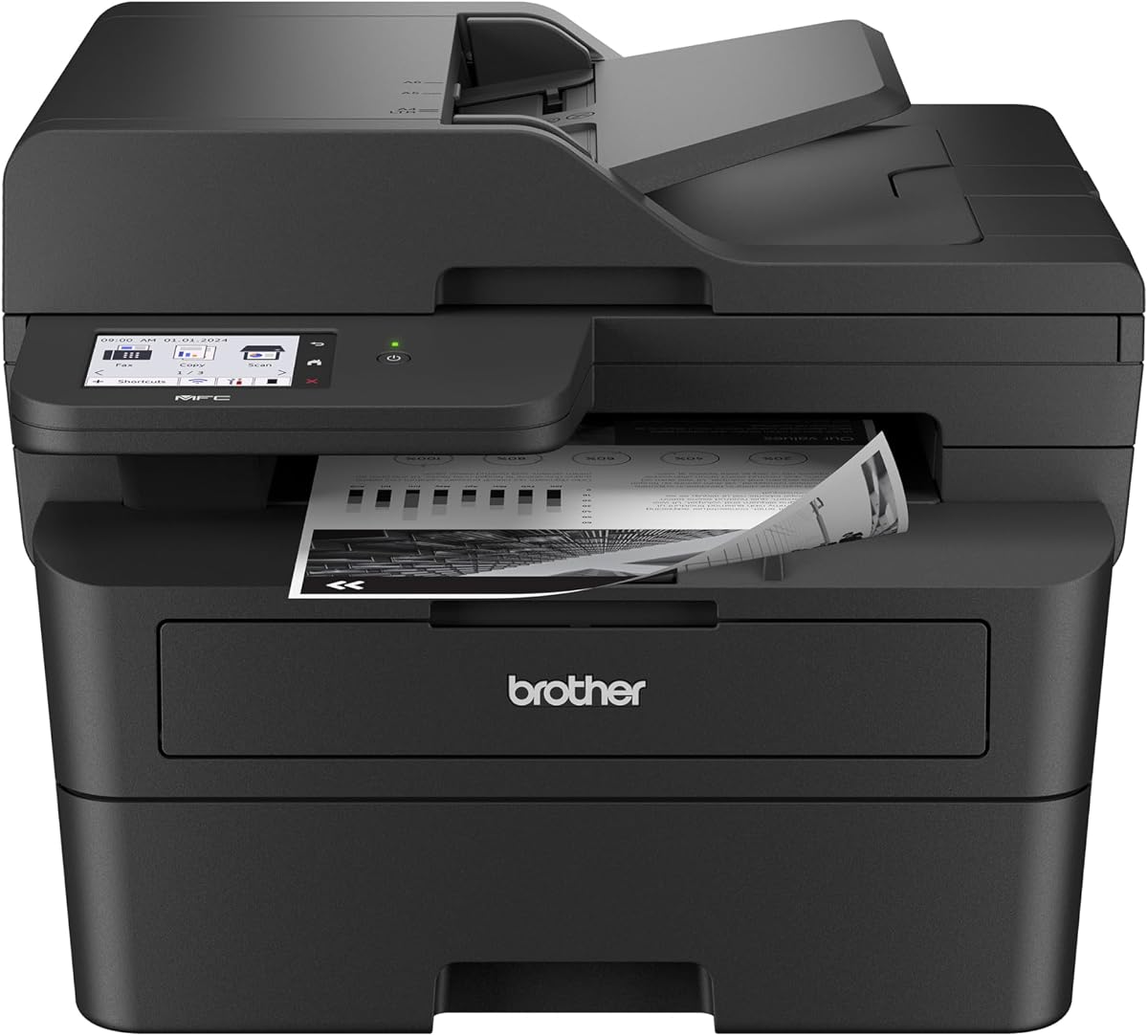
The Brother MFC-L2900DW is the dedicated high-volume choice in this roundup, pairing a 4.2 rating with monochrome laser performance, a 3.5-inch touchscreen, and extensive document handling. Its stated speed of 36 pages per minute makes it the fastest printer listed, while cloud access to Google Drive, Dropbox, and OneNote supports professional workflows.
We may earn a commission when you buy through this link, at no additional cost to you.
A 50-page automatic document feeder and single-pass two-sided scanning are valuable for contracts, invoices, records, and other multi-page documents. Automatic duplex printing supports efficient two-sided output, while dual-band wireless, Ethernet, and USB connections provide several ways to integrate the machine. The 3.5-inch touchscreen offers a large interface for selecting files, scanning destinations, and cloud functions.
The crucial trade-off is that this is a monochrome laser printer rather than a color inkjet. It is therefore a poor match for anyone who needs color photos, flyers, or presentations. Its business-oriented design and high document capacity may also feel excessive for light home use, and the product information does not describe a tank-style ink system.
The MFC-L2900DW is best for a small business, administrative office, or heavy home-office user who prints mostly black-and-white documents and values speed, direct cloud selection, and automated page handling. It is the strongest choice here for large monochrome workloads connected to Google Drive.
The stated 36-page-per-minute output is ideal for contracts, invoices, internal reports, and archived documents. Automatic duplexing and a 50-page feeder further improve throughput on document-heavy workloads.
The large touchscreen provides direct access to Google Drive, Dropbox, and OneNote, while dual-band wireless, Ethernet, and USB make deployment flexible. Single-pass two-sided scanning helps maintain productivity when digitizing multi-page records.
We may earn a commission when you buy through this link, at no additional cost to you.
The most useful Google Cloud printer is not simply the model with the longest feature list. Consider the cloud workflow you actually use, the type and volume of documents involved, the devices on your network, and whether speed, image quality, or low ink consumption should take priority.
A printer with direct Google Drive access can let users select and print shared documents from the device itself. The Brother Work Smart 1360 and 1410 explicitly support Google Drive alongside other cloud applications, while the Brother MFC-L2900DW provides direct access to Google Drive, Dropbox, and OneNote through its larger touchscreen. By contrast, Canon PIXMA models in this guide emphasize mobile services such as Canon PRINT, AirPrint, and Mopria, which can still support documents obtained from online storage but do not describe the same on-device cloud directory experience.
Wireless capability is essential for a flexible cloud setup because it allows the printer to sit away from a computer and receive jobs from phones, tablets, and networked laptops. Dual-band support, listed for the Canon TS6520, TS4320, TR7120, and Brother MFC-L2900DW, allows a printer to use either 2.4GHz or 5GHz Wi-Fi. That flexibility can be useful in crowded networks, offices with multiple access points, and homes where different devices communicate on different bands. All featured models also provide some form of wireless operation, but users should confirm the exact connection options and required setup application before buying.
Mobile printing is a central part of most Google Cloud workflows because many users retrieve documents on a phone before sending them to a printer. Canon PIXMA models support Canon PRINT, Apple AirPrint, and Mopria Print Service. Brother models use Mobile Connect for printing, copying, scanning, and device management, while the HP OfficeJet Pro 8125 and Smart Tank 5003 support mobile operation through HP's app. The best app is the one that feels natural to the buyer and is compatible with their device operating system, so checking supported platforms and setup requirements is essential.
Print volume should guide the choice between cartridge inkjets, tank systems, and laser machines. The Canon MegaTank G3270 lists up to 6,000 black-and-white or 7,700 color pages per set of inks, while the HP Smart Tank 5003 advertises up to 6,000 pages and up to three years of included ink. These tank-style choices suit frequent users who refill bottles rather than replace small cartridges. The Brother MFC-L2900DW offers 36-page-per-minute monochrome output for high-volume business documents, but it does not provide color. Light users may find a standard two-cartridge inkjet easier to maintain.
An automatic document feeder saves significant time when copying or scanning several pages, and automatic duplex printing reduces paper use and manual page turning. The Brother MFC-L2900DW has the largest feeder at 50 pages, while the Work Smart 1360, 1410, and HP OfficeJet Pro 8125 each list a 20-page feeder. Canon PIXMA models with automatic duplexing include the TS6520, TS4320, and TR7120, although the TR7120 is the one that explicitly includes an automatic document feeder. If Google-hosted material often consists of long reports, prioritize these features over a large display.
Color capability and resolution should match the output you expect. Most of the inkjets in this list support color documents, and the Canon Pixma iX6820 stands out with five individual ink tanks and a maximum resolution of 9600 by 2400 dots per inch. The TS6520, TS4320, and TR7120 use two-cartridge hybrid systems designed for sharp text and vivid everyday color. The HP Smart Tank 5003 supports borderless output, and the MegaTank G3270 emphasizes high color page capacity. Users who need occasional photos should choose a color model; the monochrome laser should be reserved for text-heavy offices.
The interface determines how comfortably a user can manage jobs without a phone or computer. The Brother MFC-L2900DW has the largest touchscreen at 3.5 inches, followed by the 2.7-inch screens on the Brother Work Smart 1410 and HP OfficeJet Pro 8125. Smaller displays are more appropriate for users who mainly initiate jobs from a mobile device. Printers without listed screens may still be entirely usable, but they offer less direct visibility into status and settings. A larger display is particularly useful when browsing cloud folders, selecting destinations, and handling multi-step scans.
The lowest purchase figure does not always produce the lowest long-term running cost, so ink system and cartridge terms deserve attention. The HP OfficeJet Pro 8125 includes an Instant Ink trial, after which a monthly fee applies unless canceled, and it blocks cartridges without original HP chips or circuitry. The Brother Work Smart 1410 includes a Refresh subscription trial and recommends genuine LC501 cartridges. The Brother MFC-L2900DW and Canon Pixma iX6820 are more naturally suited to standard cartridge replacement, while the tank printers reduce the frequency of cartridge changes. Review all current service conditions before committing.
Begin by placing the printer on a stable surface with enough clearance around the paper path and output tray. Connect it to the same wireless network as the phone, tablet, or computer that will send jobs, then install the manufacturer's app. Follow the prompts for assigning a name, selecting the correct wireless band, and linking the cloud account or service you intend to use. Keeping the printer firmware and companion app updated can improve compatibility and workflow reliability.
For cloud printing, open the document in its source application, choose the print command, and select the printer from the available device list. If the file is stored in Google Drive, you may retrieve it through the browser, the manufacturer's app, or a direct cloud panel when the model supports one. Preview the page range, paper size, color mode, and duplex setting before confirming. For multi-page originals, load them correctly in the automatic document feeder and use the scanner or copy function on the device.
Care for the printer by keeping the exterior and paper path clean, loading dry and suitable media, and avoiding paper that is bent, damp, or wrinkled. Check ink or toner status regularly, use the manufacturer-approved refill or cartridge method, and keep the print head or laser unit clean according to the manual. Run the printer's cleaning or maintenance cycle only as directed, and address error messages promptly to avoid a small paper or alignment issue becoming a larger workflow interruption.
The best choice depends on whether you prioritize direct cloud navigation, color output, document volume, or compact size. The Canon PIXMA TS6520 is the strongest overall option for flexible mobile printing and duplexing, while the Brother Work Smart 1360 offers explicit Google Drive access at a more budget-focused level. The Brother MFC-L2900DW is preferable for high-volume monochrome business documents.
No. You can print Google Drive files from a phone, tablet, or computer through a compatible app or browser-based workflow. A screen is more useful when you want to browse cloud folders, select a file, and choose scan destinations directly on the printer. Models with larger touchscreens, such as the Brother Work Smart 1410 and MFC-L2900DW, make that direct interaction easier.
Dual-band Wi-Fi provides more flexibility because the printer can communicate over either 2.4GHz or 5GHz. The 5GHz band may be useful in crowded networks, while 2.4GHz generally offers broader range. It is not essential for every setup, but it can reduce connection friction in homes and offices with several devices and access points.
The Brother MFC-L2900DW is the strongest high-volume monochrome option, with a stated 36 pages per minute, a 50-page feeder, automatic duplexing, and direct access to several cloud services. Color-oriented offices may prefer the HP OfficeJet Pro 8125 for its touchscreen, 225-sheet tray, and mobile app, or the Canon Pixma iX6820 for detailed color output and five separate ink tanks.
Choose an inkjet when color documents, photos, and moderate home-office use matter most. Choose a laser-oriented model when speed, high text volume, and straightforward black-and-white document production are the priorities. The cloud workflow is only one part of the decision; paper handling, running costs, and the type of files you print are equally important.
Several featured models explicitly support scanning to Google Drive or other cloud applications. The Brother Work Smart 1360, Work Smart 1410, and MFC-L2900DW provide direct cloud scanning connections, while Canon models support scanning through their mobile and desktop applications. Confirm that the particular service appears in the printer interface or app before beginning a recurring workflow.
The Canon PIXMA TS4320 is specifically designed with a compact footprint while retaining wireless color printing, scanning, copying, and automatic duplexing. It is a sensible choice for dorm rooms, apartments, and small desks. Users who need an automatic document feeder may prefer the slightly more office-oriented Canon PIXMA TR7120.
Not necessarily. Some models include a trial for a cartridge or ink delivery service, but the trial may become a paid monthly subscription unless canceled. The HP OfficeJet Pro 8125 and Brother Work Smart 1410 both have subscription-related trial conditions, so users should read the current terms. Tank printers offer a different model based on refillable ink bottles rather than a delivery subscription.
The Canon PIXMA TS6520 is the most balanced overall recommendation, combining dual-band wireless connectivity, mobile printing support, automatic duplexing, and a compact multifunction design. For direct access to Google Drive and other cloud applications, the Brother Work Smart 1360 is the budget-focused choice, while the Brother Work Smart 1410 improves that experience with a larger touchscreen.
Prioritize the workflow that matters most to you: choose the Brother MFC-L2900DW for fast monochrome document production, the Canon Pixma iX6820 for detailed color and photo output, the Canon MegaTank G3270 or HP Smart Tank 5003 for frequent printing with tank-based ink, and the HP OfficeJet Pro 8125 for a large screen and generous paper capacity. Confirm cloud service support, connection requirements, and consumable terms before installation.
Retailer availability, promotions, and service conditions can change, so verify the current product details before purchasing. Reading the latest setup requirements and reviews for the exact model can also reveal whether its mobile app, cloud controls, and document-handling features fit the way you and your team work.